What's new
Photoshop Gurus Forum

Welcome to Photoshop Gurus forum. Register a free account today to become a member! It's completely free. Once signed in, you'll enjoy an ad-free experience and be able to participate on this site by adding your own topics and posts, as well as connect with other members through your own private inbox!

Brush not "Smearing", settings?


PatternInChaos

New Member
Messages
2
Likes
0
Hello there!

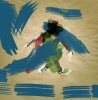
I have been trying to use some watercolour brushes to get this effect on the photo (e.g. red and blue big lines) but whatever settings I try the brush doesn't "smear", it doesn't look like a flow but tiny little brushes next to each other, I have set spacing to minimum. Does anyone have an idea what might be wrong or which settings I should use to get the effect? I also like that it's semi-transparent. Thanks in advance =)
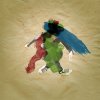
watercolor15.jpg

This is how my lines look in close-up, I hope you get the idea:
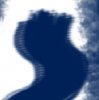
lines.jpg

I'm trying with watercolour brushes from deviantart (can't post a link) as well as photoshop default brushes and I'm using CS4.
 
I am getting results similar to these just using the PS default brushes and adjusting various settings in the brush palette. Have you used the palette to change angle, thickness, stiffness, shape, and so on?

Actually, though I can get something similar it is not alike. The brush strokes you want to emulate look very much like real brush strokes. It would take a lot of experimentation to do this in PS if you even can. Don't give up, someone may have other ideas for you. :mrgreen:
 
Last edited:
I tried a bit more with PS and downloaded some watercolor brushes from deviantart.

Two observations. 1) PS default brushes have numerous adjustments not available with these artist created brushes, such as brush tip selection, bristle stiffness and thickness, etc. 2) The brushes I downloaded have spacing set and this makes the contour very choppy and weird. I just had to try brush after brush on different opacities, mainly 100%, and different modes, mainly normal and multiply.

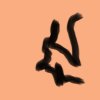
Images below: The blue brush strokes on your pic I made using PS default brushes and the black on peach was one of the watercolor brushes I thought worked best.

The problem in trying to reproduce hand painted effects is that there is a limited flexibility available in a software program. It's not as if you can program in a break in the bristle stroke 2/3 of the way through it. Maybe there will be such sophisticated capabilities available but to my knowledge there isn't anything yet. Maybe there will be a pressure sensitive tablet you can reliably reproduce a painting effect using. Why not?
 

Attachments

  • brush2.jpg
    brush2.jpg
    78.5 KB · Views: 7
  • brush.jpg
    brush.jpg
    259.3 KB · Views: 7
Last edited:
ibclare wow your effects are amazing! That's way closer than anything I got yet, would you mind sharing which brush exactly you used and your settings? I'd love to try it myself. And what you called choppy is what was bugging me the most..

P.s. I actually found the brushes the artist used in the first pic, I didn't imagine it was one big brush, I thought he used a little one and stroked a line d'oh.. Anyway I love your results ibclare thanks for putting so much effort in it! :)
 
Then the artist was successful. It isn't easy to make a graphic representation of brushwork. Which is really ironic. Brushes were used to paint, to reproduce, what was real before (and after of course) there were cameras. Now we think of the paintings as "real" and strive to reproduce that level of reality. :mrgreen:

No effort. It's always fun and instructive to try effects I haven't done before.
 

Back
Top