connorgraham
New Member
- Messages
- 1
- Likes
- 0
Hey there,
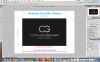
Im currently having issues with my photoshop document when printing. Ive created a business card design in CMYK 16 bit format 500dpi for printing purposes. It looked great and i thought i was finished so i decided to test print it on my home printer (obviously not the same quality as machinery printers but still gives me an idea of how its going to look). Now it all looks great but...... the tiled black background does not show its detail and prints into one smooth colour (the colour the tiled background is sitting on). So it is essentially leaving out the tiled background leaving me with a one colour background. Ill attach a screenshot below of the front of my business card design showing the tiled background. If you need any further details to answer my question than please leave a comment below. Or possibly the answer to my question is, its my printer and the machinery printers will show my tiled background.
(It wont let me post links as im a new member so delete the space for this link)
ht tp: // img190.imageshack .us /im g190/49 85/screen shot20111216at104. png
Thanks Guys,
Connor Graham
Im currently having issues with my photoshop document when printing. Ive created a business card design in CMYK 16 bit format 500dpi for printing purposes. It looked great and i thought i was finished so i decided to test print it on my home printer (obviously not the same quality as machinery printers but still gives me an idea of how its going to look). Now it all looks great but...... the tiled black background does not show its detail and prints into one smooth colour (the colour the tiled background is sitting on). So it is essentially leaving out the tiled background leaving me with a one colour background. Ill attach a screenshot below of the front of my business card design showing the tiled background. If you need any further details to answer my question than please leave a comment below. Or possibly the answer to my question is, its my printer and the machinery printers will show my tiled background.
(It wont let me post links as im a new member so delete the space for this link)
ht tp: // img190.imageshack .us /im g190/49 85/screen shot20111216at104. png
Thanks Guys,
Connor Graham