What's new
Photoshop Gurus Forum

Welcome to Photoshop Gurus forum. Register a free account today to become a member! It's completely free. Once signed in, you'll enjoy an ad-free experience and be able to participate on this site by adding your own topics and posts, as well as connect with other members through your own private inbox!

Color adjustment assistance request


jannalyn

New Member
Messages
4
Likes
0
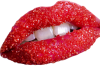
I've been lurking and learning for several months now and thank you for great tips and tutorials. This is an image I would like to manipulate for Mardi Gras and just can't get the colors right without losing sharpness and luminosity.

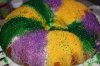
I would like the "sugared" lips to be the traditional Mardi Gras colors divided vertically into 1/3 each green, yellow and purple. Attaching the red lips to be changed and an example of a similar look I am after.

Thanks for any guidance you can provide.
mardigras_lips.png

mardigras_king_cake.jpg
 
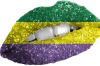
Oh I should say you can adjust the colours but the lines are to harsh and loosing the red makes the lips unrecognisable

But if you want to do it here is how
desaturate your image
create a new layer
go to view > new guide and type in 33% and select horizontal
repeat last step with 66%
then use the square marquee tool draw a box that will go from the top of image down to 1st guide line it should snap to it and fill it with the paint bucket tool whatever colour you want

select the marquee tool again and place cursor in the 1st box you drew and you should ba able to click and drag the box down to make the middle band, fill that with colour

repeat for last band

then set the layer blending mode to overlay right click the layer and select create clipping mask

then apply a layer mask and using a black brush brush away the colour on the teeth
 
LOL, yes that's just the coloring I was looking for ... but layed in verticaly instead of horizontaly. So if I put in new guide 33% and vertical, I will get that only running up/down? WhooHoo! I can always go in and smudge between colors for a softer change.

Guess the only part I'm not sure about is the selection process. Thanks so much, didn't even consider desaturating....... :redface:
 
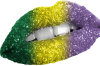
YES, that's it! Gaussian blur make sense also. Got the original open and will use your instructions to learn what you did. Still need to clean up corners, add feathers and a background but now my vision is possible. Thanks much for your help... this is the place to learn!!!
 
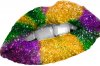
Sierra, yes it is! Looks like you maybe took the king cake and did a content fill? Very realistic to the Mardi Gras theme I was trying to achieve, thank you! Care to share your technique, please?
 
Sierra, yes it is! Looks like you maybe took the king cake and did a content fill? Very realistic to the Mardi Gras theme I was trying to achieve, thank you! Care to share your technique, please?

That is exactly right - I did use the cake. :)

Copied the lips and desaturated them so the red would not compete with the colors. Then I put the cake over them, used a clipping mask to restrict the colors to the lips, changed the blend mode to "overlay" and increased the saturation until I liked the colors. I used a layer mask to expose the teeth.
 

Back
Top