
What's new
Photoshop Gurus Forum

Welcome to Photoshop Gurus forum. Register a free account today to become a member! It's completely free. Once signed in, you'll enjoy an ad-free experience and be able to participate on this site by adding your own topics and posts, as well as connect with other members through your own private inbox!

Enhance Satellite Imagery


teryl_brat42

New Member
Messages
3
Likes
0
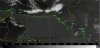
I'm doing a project in grad school and I need to utilize a photo editing program for enhancement of satellite imagery. We have Photoshop CC available to us for free at school so that is my first choice. I have a jpeg of a satellite still image and I want to change the color of all cloud tops with temperatures between -40 and -50 Celsius. At the bottom of my image I have a scale showing the grey-scale colors associated with each temperature. How would I go about changing from grey-scale to something bright like blue or magenta for the selected temperatures so that I can discern clouds with cloud-top temperatures in my range? I'm going to have to do this hundreds of times so I plan to set up batch processing.

I have attached an example of one of the images I'm going to be using.
 

Attachments

  • Edit Sat Met Image.jpg
    Edit Sat Met Image.jpg
    141.1 KB · Views: 0
In the real world, tasks like this are never done in PS. Most of the time they are done either in Matlab, or some specialty program. U should strongly consider learning Matlab for quantitative, technical image analysis work.
 
Sorry, I forgot to directly respond to your question. In Photoshop, this sort of artificial color mapping is done by a tool called the "gradient map". Just Google it and you'll find many resources available to you.

Also, if you don't want to learn a full programming language like Matlab, there are at least two good graphing programs available that could do the same thing. One is called Origin, and the other is called Surfer.

HTH,

T
 
I have access to all the standard Met programs, including Matlab, but the only way I can get the images for the location I'm studying is in archived jpeg files. I don't know that Matlab could work with that in the way I need to in order to get a hand-made faux MB curve. Hence why I'm turning to photoshop as a last resort to try to get this project off the ground. I'll definitely look into the gradient map feature, thanks!
 
Matlab certainly can read jpg and all other common non proprietary image file formats AND has greatly superior mathematical mapping abilities (including mapping tonal values to color). It blows PS completely out of the water in these areas. BTW, I teach general image processing (not just meteorological) to seniors & grad students.

T
 
I had no idea Matlab could do that. I've only had a crash course in it so far. We're going to be covering it more in depth later this semester. I can probably ask my prof to help me figure out that one application of it, though. Do you know if I can run batch processing there too?
 
It's a full programming language. It can easily run an "m-file" on all image files in a directory.

However, definitely also take a quick look at Origin and Surfer. If u want results that looks nice FAST, give them a shot. However, learning a bit of Matlab would be of much more use to you in the long run, but at the cost of a slightly steeper learning curve. Note that you don't even have to use the Matlab image processing tool box to do what u need. Even the free version, "Octave" will do what you want.

T
 
Last edited:
Also, while I'm at it, here are links to "Origin" and "Surfer" plotting software:

http://www.originlab.com/
http://www.goldensoftware.com/products/surfer

I haven't followed their pricing policies in years, but Surfer started out as geophysical mapping software for the petroleum industry, and seem to have a strong following in that area, so they may not be giving any deep student discounts. OTOH, reps from Surfer always used to be at scientific meetings trying to get students and faculty to use their product. ;-) I have no idea if this still is the case.

They both make very nice graphs, and, as I recall can easily overlay/underlay images.

T
 
And, here's all it takes to make a nice color coded plot in Origin:

http://www.originlab.com/www/products/GraphGallery.aspx?GID=201&s=8&lm=215

I'm 99.9% sure that extracting the tonal levels from the JPG and then underlaying the plot with an image file is just as easy, although, as in all cases, you probably should first smooth the data and down-rez it to modest pixel dimensions, ie, several hundred by several hundred pixels, not typical photographic dimensions of several thousand by several thousand pixels.

T
 

Back
Top