What's new
Photoshop Gurus Forum

Welcome to Photoshop Gurus forum. Register a free account today to become a member! It's completely free. Once signed in, you'll enjoy an ad-free experience and be able to participate on this site by adding your own topics and posts, as well as connect with other members through your own private inbox!

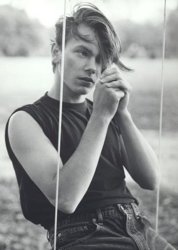
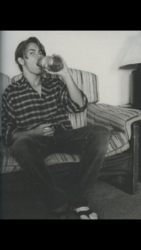
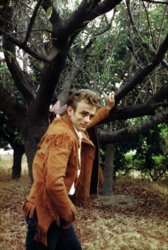
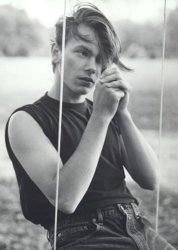
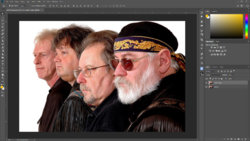
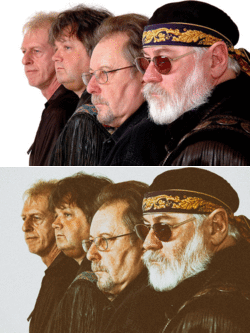
Evening, how can I achieve a Retro effect like this, using PS.


lukathat

New Member
Messages
4
Likes
0
Hello everyone, and nice to meet you, I was wondering what can I do to make my pictures look more like this. It's kinda dirty and not that high definition. Thanks in advance.
Photo 26-02-2018, 20 26 54.jpg Photo 26-02-2018, 20 28 58.pngd0077a94eca24ab3c3260f18409f85d6.jpg
 

Attachments

  • Photo 26-02-2018, 20 26 54.jpg
    Photo 26-02-2018, 20 26 54.jpg
    40.5 KB · Views: 0
Are you referring to photos after they have been taken or before they have been taken with in camera effects?
 
I was wondering about both, but I couldn’t really find the right path in the forum so i posted here. The photography part is really not that important, my tools are now only an Iphone 7 a photography app and grit ahah. So i was really focusing on post production, the effects to give that retro look.
 
Yes! That’s awesome! And could you tell me how to achieve that kinda “faded” look, pictures from 70s and 80s are not as sharp and the ones from today. Is there any way I can “downgrade” the quality, or get a little “out of focus” I’m sorry if I don’t use the right terms, it’s just that I don’t know them.
 
Last edited:
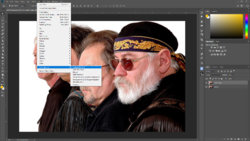
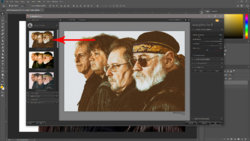
Manually you can add some grain (filter gallery-grain), blur by 0,5 px (depending on the picture) add a 'foggy night' adjustment layer but have a look at the link I provided, there's a lot of variation you can apply.

But the NIK filters are free and easy to tweak.
 
Last edited:

Back
Top