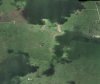
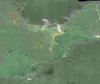
I need to get rid of these clouds (dark areas) without losing the quality of this image. So the light areas can be darkend and the dark areas can be lightend. Is there a tool in photoshop that I can use to balance these colours without losing the quality of the image?
Photoshop Gurus Forum
Welcome to Photoshop Gurus forum. Register a free account today to become a member! It's completely free. Once signed in, you'll enjoy an ad-free experience and be able to participate on this site by adding your own topics and posts, as well as connect with other members through your own private inbox!
Getting rid of clouds
- Thread starter flawsie
- Start date