What's new
Photoshop Gurus Forum

Welcome to Photoshop Gurus forum. Register a free account today to become a member! It's completely free. Once signed in, you'll enjoy an ad-free experience and be able to participate on this site by adding your own topics and posts, as well as connect with other members through your own private inbox!

Help creating a worn text effect as thought it is printed on a T-shirt


danholmes1

New Member
Messages
1
Likes
0
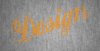
I need some help replicating a design I've seen. Ive attached the original (worn-in) and my attempt (design). It gives the effect that text has been printed on a t-shirt and has the vintage worn effect. I have tried using a close up of a cotton t-shirt, creating a separate text layer, erasing the edges and making the layer slightly opaque but it doesnt have the same effect. If you look at the original the text layer has a worn texture look across the font. Any help you could give me would be greatly appreciated.

Thanks
 

Attachments

  • example.jpg
    example.jpg
    304.1 KB · Views: 0
  • example worn text on fabric.jpg
    example worn text on fabric.jpg
    278.8 KB · Views: 0
Good start. I recommend you use a layer mask to do the "erasing." You paint on the mask with black to erase and white to restore. Non-destructive. You can change your mind and the pixels are still there.

This is not a Photoshopped image is it?

The first thing I would suggest to get the effect is to use some different layer blending effects, particularly hard light. Layer blending modes are at the top of the layer panel where it says normal with a drop down menu. You may have to adjust whatever color you are using as the hue will change and possibly the vibrance.

Then i would use the brush at low opacities in black and do the worn look on the letters.

It may also be helpful to add a displacement map. This will help to add the warp and weft movements to the letters. Do you know how to use filter>displace?
 

Back
Top