What's new
Photoshop Gurus Forum

Welcome to Photoshop Gurus forum. Register a free account today to become a member! It's completely free. Once signed in, you'll enjoy an ad-free experience and be able to participate on this site by adding your own topics and posts, as well as connect with other members through your own private inbox!

Specific Help


Lieke91

Member
Messages
5
Likes
0
Hey guys!

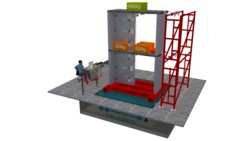
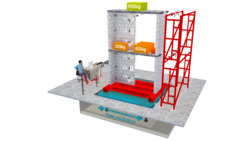
Could somebody improve the quality of my first render picture :oops:. I'd like to use it as a poster for uni project and any help would be greatly appreciated!

I tried myself some, but the picture is still dull and fusty at the moment. The shading doesn't seem that great as well. Quite frustrating.. :speechless:

Love,

Lieke
 

Attachments

  • render.jpg
    render.jpg
    796.5 KB · Views: 1
  • start.jpg
    start.jpg
    213.4 KB · Views: 1
Wow, thank you for your effort, thebestcpu :shocked: It's already a big improvement from what it was and very helpful.

I hope you don't mind if I clear out some points :halo::

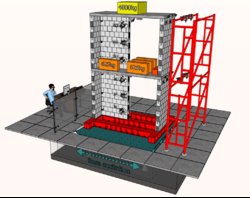
- Maybe if you could make the top massblock of 4000 kg a bit more clear and not so glowing and less dark?
- I don't know, but if possible, the textures of the blocks of the structure can they be improved? ( the floor looks amazing now)

Once again, thank you!


BTW: it is part of a shaking table test for a masonry structure exposed to simulated earthquakes. I'd like to present the experimental set-up in a presentation. So for me, it is most important that the information presented in the figure is clear and if possible that you may define the materials from the picture.

Love,

Lieke
 
Hi Lieke

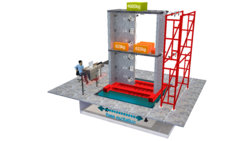
Here are the incremental changes with the green block lettering made to stand our more and I added some random noise on the cinder blocks to simulate the rough surface those would see in reality.

Note that the image you provided is a compressed JPEG image and that does impose some limits on what can be done.

Hope the incremental changes are helpful.

John Wheeler

render-adj-2.jpg
 
Thanks for the help guys, it is much appreciated!

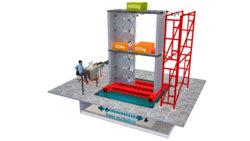
@JJLAPIN : Could you maybe take a look at the upper surface of the floors. They seem a bit too light (beige colour). It should have a concrete texture just like the sides of it. Is it possible to make it like that? And I like the fact that you've defined the blocks more, however, maybe slightly thinner lines would be even a greater look? ( I tried to make it look like calcium sillicate units ) Nevertheles, thanks a lot! :giggle:

@thebestcpu: Sorry I didn't know that jpg imposed limits. I ve uploaded the files as .bmp (maybe that helps? :rolleyes:):

https://drive.google.com/file/d/17hsV7ouWtXenH50YLzPzFqJJALNG1pEt/view

The rougher look makes it indeed more realistic, thanks for that. The surfaces of the floors seem also a bit beige.

You guys make it difficult for me to choose one. I hope to hear from you guys.

Once again, the effort is much appreciated :bowdown::bowdown:

Love,

Lieke
 
I probably can't get any more work in on this today so will leave it for JJLAPIN and see where we are at tomorrow if any more help is needed.
Best wishes on your project in the meantime
John Wheeler
 
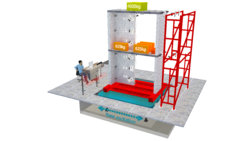
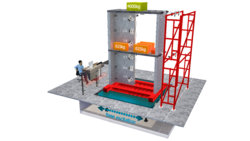
Here are the incremental changes you requested from yesterday.
I replaced the JPEG image with the BMP image and that took out a lot of the artifacts.
The original floor did have the brown highlights. They just stood out more with lightened up. So I took out the brown colors and made the floor consistently the gray bluish color that was already there.
Hope that now meets your need.
Best wishes on your project
John Wheeler

render-adj-3.jpg
 
You did an incredible job, thebestcpu. It is totally to my likings. :shocked:

Could you send me the last photoshope file and .bmp-file, so I could take a look into it myself and learn a bit. -> suggestion: through wetransfer.com ?
 

Back
Top