What's new
Photoshop Gurus Forum

Welcome to Photoshop Gurus forum. Register a free account today to become a member! It's completely free. Once signed in, you'll enjoy an ad-free experience and be able to participate on this site by adding your own topics and posts, as well as connect with other members through your own private inbox!

Hi everyone!


oichelaircapall

New Member
Messages
4
Likes
0
So I am new here and I don't photoshop. I do enjoy looking at the work of others. I also have a request. I have something that needs to be done that I am told is pretty basic. It just needs to be done on a lot of pictures. It's for an rpg character (Yes I am a dork). I am just wondering if there's anyone here. Or anyone knows of any resources where I might find someone willing to undertake the task. x.x
 
We;come, oichelaircapall.

We prefer to give step by step instructions on how to achieve things in Photoshop. Image Requests are granted if the members are wiling to do so. But there are no guarantees....

Post your image/s for us to see what task lay ahead......
 
No, of course. I know there is no guarantee. There are too many photos to honestly post here which is why I doubt I'll find someone willing. I just mean do you know of any other places that might be? I don't even own photoshop.

I need an eyecolor change on tvg05_zpsdddecd25.jpg Her left eye (facing the camera) needs to be lavender and the right like a pale ice blue.
 
If you guys did teach me how to do it. How long does it normally take to master something like that looking realistic. I get it'd be based on the ability of the person to absorb what you're teaching. But just a general guess >.> It is a lot of pictures and knowing how to do it myself would probably be better.
 
Well eye colour changing is a nice simple way to get started with photoshop. You are basically going to change the hue of the eye and if possibly colorize it. What you want to do is select the part of the eye that needs colour to make sure that you DONT change the hue of anything else.

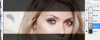
To start this, I would create a new layer above your image and call it "right eye" or something like that. If you drop the opacity of that layer down to 50% then you can take a red brush tool and literally colour the eye in with ur brush.
eye21.png

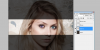
Then you can CTRL + click the eye layer to select the shape and and then click your main image layer to make sure you are only affecting the picture. Then it is really simple, just from the menu at the top.. Image -> Adjustments -> Hue/Saturation (or CTRL + U) to bring up the colour editing mode. You can then play around with the colour of the eye by sliding the various pickers. Don't forget the "colorize" option at the bottom right of that window, if the eye is too pale to begin it can really help.

eye2.png

This is a very basic way of doing it, there are far more advanced effects and methods but it seems a pretty nice way to get to grips with photoshop. Also the video tutorials are VERY simple to follow.
Here is one for example.
https://www.youtube.com/watch?v=rH1FNmHjnMk

Play about as much as you can , and you will love it in no time :P
 

Back
Top