howdy everyone
not sure if this question fits here but since this is for us newbies i figure this is the place to ask it:
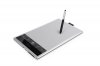
how do you choose a good wacom tablet for a beginner? I know that there is a saying "dont buy all the fancy-shmancy tablets, buy the simplest model for drawing and you will be fine"- is that right?
there are a lot of chices for these tablets, some with ridicules prices and a bunch of options and features i dont even know because i never had one of these
i am intersted in creating manga charchters, anime charchters and possibly cartoons so i figure that such a device is required but i just dont know what to choose and its a lot of money going wasted if i choose poorly
thanks to anyone who responds
not sure if this question fits here but since this is for us newbies i figure this is the place to ask it:
how do you choose a good wacom tablet for a beginner? I know that there is a saying "dont buy all the fancy-shmancy tablets, buy the simplest model for drawing and you will be fine"- is that right?
there are a lot of chices for these tablets, some with ridicules prices and a bunch of options and features i dont even know because i never had one of these
i am intersted in creating manga charchters, anime charchters and possibly cartoons so i figure that such a device is required but i just dont know what to choose and its a lot of money going wasted if i choose poorly
thanks to anyone who responds