What's new
Photoshop Gurus Forum

Welcome to Photoshop Gurus forum. Register a free account today to become a member! It's completely free. Once signed in, you'll enjoy an ad-free experience and be able to participate on this site by adding your own topics and posts, as well as connect with other members through your own private inbox!

Merging two pictures together


blueskylondon

New Member
Messages
3
Likes
0
Folks,
any ideas?
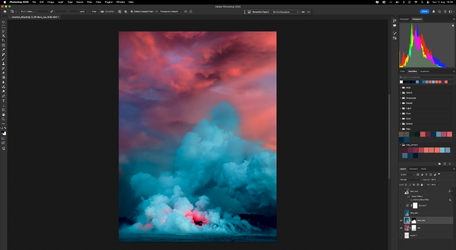
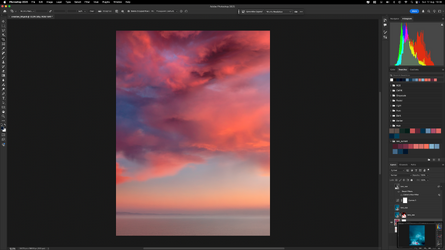
I am looking to merge elegantly the sea/lava picutre with the sunset and I am failing at providing a photo realistic result.
I tried creating masks using alpha channels, played with gradients on layer masks etc, ping ChatGPT extensively.
Thoughts on how to proceed? Do I miss something?
best,
Dan
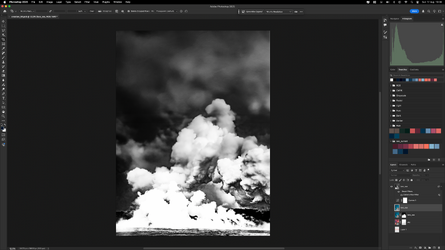
Screenshot 2025-08-17 at 19.37.47.png

Screenshot 2025-08-17 at 19.38.00.png

Screenshot 2025-08-17 at 19.38.36.png

Screenshot 2025-08-17 at 19.38.51.png
 
Layer mask and the Brush Tool. Use a large soft round brush set to 0% hardness and 1% to 2% flow and work the new cloud BG into the first. No need to make a hard selection of the first "Lava" image. Just use the brush and gently blend it in.

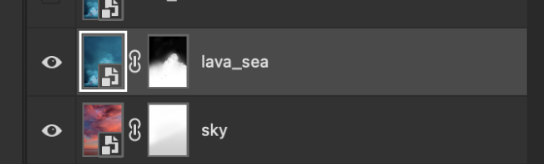
Don't mask the sky layer!!! Delete it's layer mask!
Screen Shot 2025-08-17 at 4.00.23 PM.png

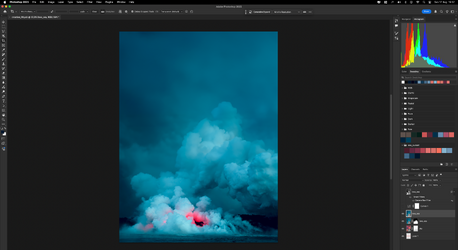
I see you have some transparency issues. Deleting the sky layer's layer mask should solve this. You can add a solid color adjustment layer below the two image layers, but you shouldn't have to once the layer mask is gone.

Screen Shot 2025-08-17 at 4.02.26 PM.png
 

Back
Top