Kostya SkyDragon
Member
- Messages
- 5
- Likes
- 0
Hello guys
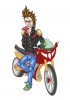
This is my unfinished drawing
http://www3.picturepush.com/photo/a/7122221/1024/Anonymous/1-Biker3---blurred2.jpg
I need to make a curbed zigzag line (black) along the front tire and two paralel zigzag lines along the back wheel
like here
http://www.tiresusa.com/media/catal...Zag-Solid-Hand-Truck-Tire-TiresUSA.com-31.jpg
Or How can I overlay a pattern on the middle of the tires so it looks realistic like it's curved (maybe I need to change the shape or something but idk how)
A pattern like this
http://www.mosaiczone.com/UploadFile/200832814497658.jpg
Please explain me the 2 ways in detailed steps
Thank you.
This is my unfinished drawing
http://www3.picturepush.com/photo/a/7122221/1024/Anonymous/1-Biker3---blurred2.jpg
I need to make a curbed zigzag line (black) along the front tire and two paralel zigzag lines along the back wheel
like here
http://www.tiresusa.com/media/catal...Zag-Solid-Hand-Truck-Tire-TiresUSA.com-31.jpg
Or How can I overlay a pattern on the middle of the tires so it looks realistic like it's curved (maybe I need to change the shape or something but idk how)
A pattern like this
http://www.mosaiczone.com/UploadFile/200832814497658.jpg
Please explain me the 2 ways in detailed steps
Thank you.