What's new
Photoshop Gurus Forum

Welcome to Photoshop Gurus forum. Register a free account today to become a member! It's completely free. Once signed in, you'll enjoy an ad-free experience and be able to participate on this site by adding your own topics and posts, as well as connect with other members through your own private inbox!

Quick Selection Tool - Turning off soft egde


Armani12

New Member
Messages
1
Likes
0
I just can't make it work.. I need to use QUICK SELECTION TOOL to select part of image and then cut it out and paste it exactly in the same place. But whenever I do it, that tool automatically add feather to the edge so I can't paste it in same place again!

I already turn on hardness to 100% and I don't see any other options I can alter to eliminate it.

Anyone can help me with this?

Picure:
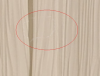
Pic.png

THANKS A LOOT!
 
Let me try and help.
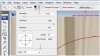
First you make the selection with the "quick selection tool" and then it activates more options in the top tool bar.

Notice that the brush options has changed. Looking at these settings and being satisfied, continue to the "Refine Edge" button.

Options3.jpg

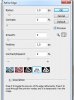
After pressing the "Refine Edge"button it should look like this and a new window opens.
There is also a preview button for you to see the effect before and after.
 

Attachments

  • Settings 1.jpg
    Settings 1.jpg
    839.9 KB · Views: 2
Last edited:
Hope that helps you out, just let us know here if the problem has being resolved. And maybe a little thanks would be generious :)
 

Back
Top