What's new
Photoshop Gurus Forum

Welcome to Photoshop Gurus forum. Register a free account today to become a member! It's completely free. Once signed in, you'll enjoy an ad-free experience and be able to participate on this site by adding your own topics and posts, as well as connect with other members through your own private inbox!

remove this logo


123

New Member
Messages
2
Likes
0
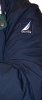
I want to remove the logo from this cloth..
Can you please help me and tell me the steps for doing this ?
thank you
 

Attachments

  • logo.jpg
    logo.jpg
    595.5 KB · Views: 6
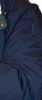
here you go
t609zlj3-patch.jpg

all i did was select the top part of the patch where there is no logo.
copied then flipped it and moved it so it covered the logo.
duplicated that layer to cover all the logo.
if you place the first selection right it lines up to the pattern on the patch
 
Hi...

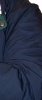
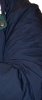
In Photoshop CS6 I selected what I wanted to remove then used content aware to fill in the gaps.

I didn't know if you wanted the patch to remain so here's two versions..

Regards,

D

logo1.jpg
logo2.jpg
 
That's the thing with Ps, there's a thousand ways to do one thing. Any method is good enough, it just depends on what the person is comfortable with.
 
thank you so much..
i prefer it without the patch..
but can you explain me the whole first step about the selection and copying in detail please?
 

Back
Top