What's new
Photoshop Gurus Forum

Welcome to Photoshop Gurus forum. Register a free account today to become a member! It's completely free. Once signed in, you'll enjoy an ad-free experience and be able to participate on this site by adding your own topics and posts, as well as connect with other members through your own private inbox!

Request!


Zmanslim

New Member
Messages
4
Likes
0
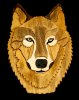
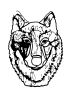
can anyone please trace or draw this image out and enlarge it and maybe send me the psd's..I was wondering to use it for a new non profit project thanks!
Wolf300.jpg
 
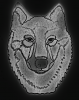
Is this the idea? Easy to do.

1) Use the quick select to select all the black matte, zoom in and tighten that up around the edges. Mask off the head. Refine the mask (select>refine mask) using a low setting for smoothing (3 I think) and a plus 1 or 2 on the adjust edge. Apply mask.

2) Duplicate (ctl/cmd + J) the original layer twice then apply a threshold adjustment to each new layer. Go to image>adjustments>threshold. I did this twice, making one fairly light and the other darker, then I set both layers to soft light.

WolfDrawn.png
 
I should have described it better ... I want it to look like someone sketched it on a piece of paper with the different shadings and all...hope someone can help!
Thanks!
 
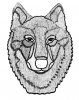
I really hate to be picky but that is kind of close but I need it actually drawn out with the pen tool i guess and shaded kind of like this but more shade...I know no one will do this for free but the non profit only gives me a little amount of money for the design elements so i could pay but not much...really appreciate all the replies
character lines and shade jpg.jpg
 
You need someone's help who is ok with illustrator.
 

Back
Top