What's new
Photoshop Gurus Forum

Welcome to Photoshop Gurus forum. Register a free account today to become a member! It's completely free. Once signed in, you'll enjoy an ad-free experience and be able to participate on this site by adding your own topics and posts, as well as connect with other members through your own private inbox!

Reshaping a image


GoldCylon

Member
Messages
15
Likes
0
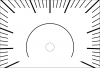
Hi, and thanks for stopping by, and if possible helping me out. I recently purchased a Mac Mini, and this is my 1st Apple computer, and don't have much experience using this system. I also don't have any programs except a few basic from the app store. I have been using online editing tools that are getting me by except this issue. I have a squared off image of a dial face, and would like to reshape it into a oval. I have tried pinching tools, but they aren't giving me the results I desire. Any ideas, and help would be awesome. Thanks for your help.
 
Hi. I see the image in my original posting where I introduced myself, but it didn't show up here. I also don't see a edit my post feature. I'll try this one more time. dial 02.png
 
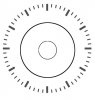
Hey that is very cool, thank you, but I need a oval shape. I'll try Google again, but I had not much luck so far.
 
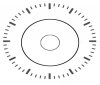
Hey thank you very much that looks pretty cool. Can you squish my image into a oval or what did you dis you use.
Thanks very much.
 
No, I can't reshape yours. I could squish Hoogle's because it was already round.

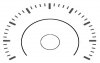
The biggest difference between yours and mine is that yours is not a full circle. So if you mask off part of it, you get something like this, which is what I think you're looking for?

clock2.jpg
 
are you trying to create a speedometer effect and not a clock as in a car speed dial by any chance
 
You are right on the money. I am going for a retro 1950's era look that with be used on a dash of a flight control unit.
 

Back
Top