
Oh for Chrissake!
Well-Known Member
- Messages
- 83
- Likes
- 7
Hi folks,
I created this rainbow gradient. Saved it in the swatches panel (if there is a better place, please let me know).
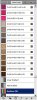
But when I open up another document, the rainbow gradient isn't available.
Can anyone explain how to make this gradient accessible in other documents? And I mean explain it to me like I'm a four-year old.
Thanks!
OFC
I created this rainbow gradient. Saved it in the swatches panel (if there is a better place, please let me know).
But when I open up another document, the rainbow gradient isn't available.
Can anyone explain how to make this gradient accessible in other documents? And I mean explain it to me like I'm a four-year old.
Thanks!
OFC

