
Photoshop Gurus Forum
Welcome to Photoshop Gurus forum. Register a free account today to become a member! It's completely free. Once signed in, you'll enjoy an ad-free experience and be able to participate on this site by adding your own topics and posts, as well as connect with other members through your own private inbox!
You are using an out of date browser. It may not display this or other websites correctly.
You should upgrade or use an alternative browser.
You should upgrade or use an alternative browser.
Sideway degree
- Thread starter iztmbpic
- Start date
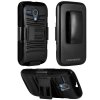
The real thing with a camera and photographed at three said angles?
I'm sorry, I didn't get your question.
I was referring to the top piece of the image where it shows the front & the back of the case, It looks slanted, and I wanted to know how it was done and with what tool in photoshop

Paul
Former Member
- Messages
- 10,933
- Likes
- 5,560
I'm sorry, I didn't get your question.
I was referring to the top piece of the image where it shows the front & the back of the case, It looks slanted, and I wanted to know how it was done and with what tool in photoshop
I didn't ask a question i replied to your request for help.

dv8_fx
Retired Administrator
- Messages
- 12,219
- Likes
- 3,713
In other words... use a real celphone and take a photograph of it at the angled view you need..
If your trying to rotate an existing image to the angle you want, there's no way to get the right perspective without the image getting distorted out of shape.
If your trying to rotate an existing image to the angle you want, there's no way to get the right perspective without the image getting distorted out of shape.
Hmm...
That's the weird part, because the photographer author never took the picture with the case (even tho the phone is inside the case). And base on my my observation, the front and back piece started out straight because i saw a copy of it being straight without the "sideway degree" of both piece, but he only made it sideway to this picture for entertaining purposes, so that's what cause me to thought of it being done within photoshop.
That's the weird part, because the photographer author never took the picture with the case (even tho the phone is inside the case). And base on my my observation, the front and back piece started out straight because i saw a copy of it being straight without the "sideway degree" of both piece, but he only made it sideway to this picture for entertaining purposes, so that's what cause me to thought of it being done within photoshop.
Paul
Former Member
- Messages
- 10,933
- Likes
- 5,560
Hmm...
That's the weird part, because the photographer author never took the picture with the case (even tho the phone is inside the case). And base on my my observation, the front and back piece started out straight because i saw a copy of it being straight without the "sideway degree" of both piece, but he only made it sideway to this picture for entertaining purposes, so that's what cause me to thought of it being done within photoshop.
How do you know that please? Those images are from various shopping engines.

- Messages
- 24,260
- Likes
- 13,720
These are the two images compared side by side.
They are completely two separate images photographed independently of one another!
Their two perspectives are completely different! Also notice that the one on the left is in a holder and the one on the right is not.
This was photographed and NOT Photoshopped!
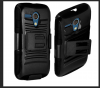
Even if I try to transform the cover on the left, you can tell it's not the same!
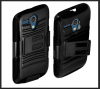
They are completely two separate images photographed independently of one another!
Their two perspectives are completely different! Also notice that the one on the left is in a holder and the one on the right is not.
This was photographed and NOT Photoshopped!
Even if I try to transform the cover on the left, you can tell it's not the same!
Last edited: