What's new
Photoshop Gurus Forum

Welcome to Photoshop Gurus forum. Register a free account today to become a member! It's completely free. Once signed in, you'll enjoy an ad-free experience and be able to participate on this site by adding your own topics and posts, as well as connect with other members through your own private inbox!

suggestion to create this 3d feeling book cover


twinkiestar

New Member
Messages
3
Likes
0
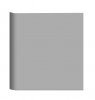
how would you use photoshop to create the following 3d book hardcover (click the image to view full size), in particular how do I create the left side binder 3d effect? I tried to use gradient, but the effect is not as real as this one...
albumcover1.jpg
 
i've made a low res img. It is basically a bevel. I'm sure there are others ways to make it; usually are in Photoshop.
Create your rectangle
Bevel and emboss, inner bevel; you'll want yours less smooth than mine
create a layer below the current
merge them
trim the other 3 beveled edges off
make the corner curves

This is what you get; which needs further work to get the result of your image:

HdCover.jpg
 
thanks, is there a way to implement the shade as a layer so that I can put the shade on top of any solid rectangle to create the 3D bevel effect?
 
hi.. can you attach your psd? i tried your procedure, but getting very different results :)
i've made a low res img. It is basically a bevel. I'm sure there are others ways to make it; usually are in Photoshop.
Create your rectangle
Bevel and emboss, inner bevel; you'll want yours less smooth than mine
create a layer below the current
merge them
trim the other 3 beveled edges off
make the corner curves

This is what you get; which needs further work to get the result of your image:

View attachment 15268
 
You won't be able to see what I did to merge the layers but let me make you some screen shots and see if that clears it up. If that is what you're talking about but I think so.

As for using the shading on other rectangles, it is part of the layer and not removable except by making it invisible (shutting off the eye of the fx). However, if you hold down the alt/opt key, you can move the fx to any layer and copy those effects. But you'll still have to make the next steps to "rasterize" the layer effects. Perhaps if you make a low opacity layer, that would work. But your shading I think would be low opacity too. At the moment, I can't think of a good workaround for you.
 

Back
Top