Photoshop Gurus Forum
Welcome to Photoshop Gurus forum. Register a free account today to become a member! It's completely free. Once signed in, you'll enjoy an ad-free experience and be able to participate on this site by adding your own topics and posts, as well as connect with other members through your own private inbox!
Latest activity
-
GGozoman replied to the thread Right click menu problem.Thanks for that. Yeah as I said no point moving to a newer version at my age and it still works by simply opening from the taskbar...
-
GGozoman replied to the thread Right click menu problem.Didn't work I'm afraid. When I click on sendto it opens in Photoshop okay but then the 'Configuration error. Please uninstall and...
-
Tthebestcpu replied to the thread Right click menu problem.Hi @Gozoman I dug through Adobe’s current and archived pages. The licensing repair tool still exists on Adobe’s site, but it was built...
-
Ddannac replied to the thread Right click menu problem.Note that below info is from Win 10 and PS CS6. Instead of “Open with” I used “Send to “ Win + R to open a run dialog shell:sendto...
-
GThis is a strange one. I have been using Photoshop CS5 for years on my Windows 10 laptop. The laptop got damaged beyond repair so I...
-
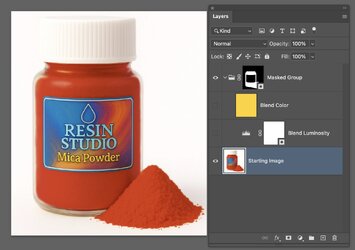
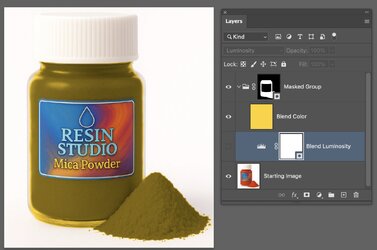
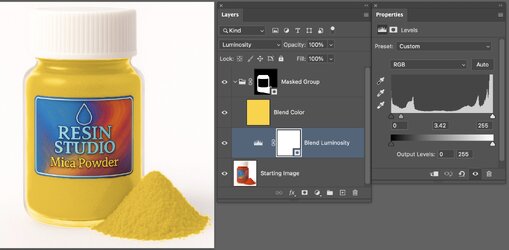
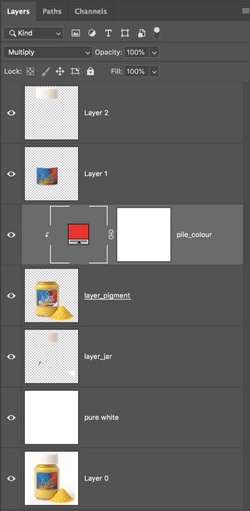
BHi @Beermonster68 Here is a similar yet different Layer Stack and blending modes that may give you more direct control of the color and...
-
Tthebestcpu replied to the thread Help with changing colour.Hi @Beermonster68 Here is a similar yet different Layer Stack and blending modes that may give you more direct control of the color and...
-
-
 IamSam replied to the thread Help with changing colour.You're very welcome. Let me know if you have any further questions.
 -
BBeermonster68 replied to the thread Help with changing colour.Thank you, I've almost got it working, TBH I'm not 100% sure what i'm doing :) it doesn't look like yours, but I'm heading in the right...
-
IamSam replied to the thread Help with changing colour.This is all you need. Selection (on layer mask) made entirely with the Brush Tool. Takes a little time but the results are worth the...
-
-
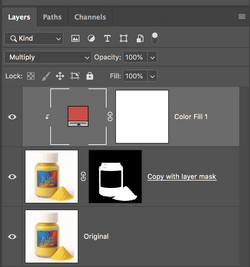
IamSam replied to the thread Help with changing colour.Thanks!! Just change your color layers blending mode from "COLOR" to "Multiply". Then clip it to the layer below. You will have to...
-
-
BHey. All we can see is the layers and not the actual "jar/bottle" that you see on the canvas. But if I were guessing, the original color...
-
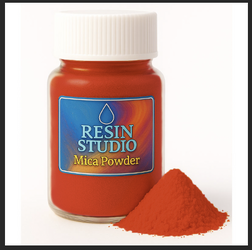
BHere's a sample image. Original image. I could not find one that was yellow. Added grey background. Selected the bottle and used...
-
BSome additional thoughts. The "color" blend mode—and pretty much every other blend mode—will always interact with the layers below it...
-
BExcellent guidance above. I played with this a bit myself - - selected the yellow mustard in the jar and placed it on its own layer -...