Hi all,
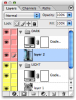
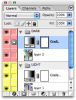
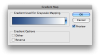
I recently got an assignment that is about designing different colourways for a fabric print pattern. I have tried to change the colours with Replace Color adjustment, but every time I try to change the colours, only the saturation and lightness sliders move, not the hue. In Hue/Saturation adjustment I can apparently only change the lightness of the colour. Where you think the problem is? I'm using version 8.0 of Photoshop CS for Mac - do you think there could be some compatibility issues here? Or are the colours somehow "locked"?
Every answer will be greatly appreciated.
I recently got an assignment that is about designing different colourways for a fabric print pattern. I have tried to change the colours with Replace Color adjustment, but every time I try to change the colours, only the saturation and lightness sliders move, not the hue. In Hue/Saturation adjustment I can apparently only change the lightness of the colour. Where you think the problem is? I'm using version 8.0 of Photoshop CS for Mac - do you think there could be some compatibility issues here? Or are the colours somehow "locked"?
Every answer will be greatly appreciated.