Steve
Retired Administrator
- Messages
- 7,720
- Likes
- 1,475
The first thing that you should do if you have any problems whatsoever is to apply the latest Photoshop updates and update your video card drivers. If Photoshop starts acting weird then you should also reset your preferences
Photoshop CS5 issues
Known Photoshop CS5 issues
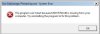
Problem: Photoshop doesn't start, gives (0xc000001d) error
Solution: Install the 12.0.1 patch for Photoshop, link up top.
Problem: Repousse or 3D features do not work
Solution: Make sure that your video card supports OpenGL Drawing and that it is enabled in Preferences->Performance
Problem: The Save As dialog box doesn't show up
Solution: This happens because your monitor resolution is below the minimum system requirements of 1024x768
Problem: When you zoom in using the Scrubby Zoom feature you cannot pan to see the work canvas
Solution: It's a known bug, to fix it simply zoom in or out using any of the traditional methods
General Photoshop issues
Problem: Brush cursor is broken up
Solution: Update your video card drivers
Problem: Photoshop displays weird lines, squares or other artifacts
Solution: If updating your video card drivers doesn't help then you will have to disable OpenGL Drawing from Edit->Preferences->Performance
Problem: Photoshop doesn't recognize the video card on XP-64
Solution: OpenGL drawing is not supported on this platform due to OS and driver issues.
Problem: Photoshop doesn't recognize the video card (NOT XP-64)
Solution: The video card driver says that it does not support the minimum requirements for Photoshop. Check your video card capabilities against the requirements for Photoshop OpenGL use ( GPU and OpenGL support | Photoshop CS4, CS5 ). Updating the video card driver may solve the problem, or you may need to contact the GPU maker to let them know about the problem.
Problem: Hand Tool is stuck and selecting tools doesn't work
Solution: In most cases this can be solved by simply tapping the space bar
Problem: Brushes don't work
Solution: Move the pen away from your tablet. If that doesn't work then update your tablet drivers.
Problem: Images look different in Photoshop or the colors aren't redered correctly
Solution: You need to calibrate your monitor with a hardware calibration device or, if you don't have one, with something like Calibrize
Problem: Photoshop slows down after using it for prolonged periods of time
Solution: Check out this tech note: Optimize Photoshop performance | CS4, CS5 | Windows 7, Vista, XP
Problem: General installation problems
Solution: Try running the Adobe Clean Script for CS4/CS5
Problem: Cannot open Camera Raw files
Solution: Check out this tech note: Can't open Camera Raw file
Photoshop CS5 issues
Known Photoshop CS5 issues
Problem: Photoshop doesn't start, gives (0xc000001d) error
Solution: Install the 12.0.1 patch for Photoshop, link up top.
Problem: Repousse or 3D features do not work
Solution: Make sure that your video card supports OpenGL Drawing and that it is enabled in Preferences->Performance
Problem: The Save As dialog box doesn't show up
Solution: This happens because your monitor resolution is below the minimum system requirements of 1024x768
Problem: When you zoom in using the Scrubby Zoom feature you cannot pan to see the work canvas
Solution: It's a known bug, to fix it simply zoom in or out using any of the traditional methods
General Photoshop issues
Problem: Brush cursor is broken up
Solution: Update your video card drivers
Problem: Photoshop displays weird lines, squares or other artifacts
Solution: If updating your video card drivers doesn't help then you will have to disable OpenGL Drawing from Edit->Preferences->Performance
Problem: Photoshop doesn't recognize the video card on XP-64
Solution: OpenGL drawing is not supported on this platform due to OS and driver issues.
Problem: Photoshop doesn't recognize the video card (NOT XP-64)
Solution: The video card driver says that it does not support the minimum requirements for Photoshop. Check your video card capabilities against the requirements for Photoshop OpenGL use ( GPU and OpenGL support | Photoshop CS4, CS5 ). Updating the video card driver may solve the problem, or you may need to contact the GPU maker to let them know about the problem.
Problem: Hand Tool is stuck and selecting tools doesn't work
Solution: In most cases this can be solved by simply tapping the space bar
Problem: Brushes don't work
Solution: Move the pen away from your tablet. If that doesn't work then update your tablet drivers.
Problem: Images look different in Photoshop or the colors aren't redered correctly
Solution: You need to calibrate your monitor with a hardware calibration device or, if you don't have one, with something like Calibrize
Problem: Photoshop slows down after using it for prolonged periods of time
Solution: Check out this tech note: Optimize Photoshop performance | CS4, CS5 | Windows 7, Vista, XP
Problem: General installation problems
Solution: Try running the Adobe Clean Script for CS4/CS5
Problem: Cannot open Camera Raw files
Solution: Check out this tech note: Can't open Camera Raw file
Last edited: