Smart Object
Member
- Messages
- 8
- Likes
- 1
I'm pretty experienced in Photoshop, but can't work out how to do something so simple.
In images where there's flat colour (eg book & cd covers), how do you easily get rid of any unwanted noise, without making edges blurry, or resizing down?
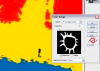
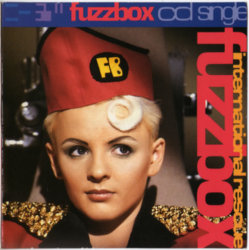
Take this image below for example. It's essentially 5 flat colours. How do I remove the jpegging without blurring the colour edges any more than they are? (click to see full size, it doesn't look so bad squeezed down in a forum page)
I tried Filter > Noise >Reduce Noise with no luck.
I thought Posterize would work but it's too harsh on the edges.
Any other suggestions?

In images where there's flat colour (eg book & cd covers), how do you easily get rid of any unwanted noise, without making edges blurry, or resizing down?
Take this image below for example. It's essentially 5 flat colours. How do I remove the jpegging without blurring the colour edges any more than they are? (click to see full size, it doesn't look so bad squeezed down in a forum page)
I tried Filter > Noise >Reduce Noise with no luck.
I thought Posterize would work but it's too harsh on the edges.
Any other suggestions?