
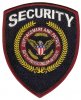
I scanned a few images for a company and I'm having a problem fully converting them to a computerized image. I gave up when I couldn't get the warp of the top text "Security" correct. It's driving me nuts. If someone could convert this to a fully computerized image for me I'd really appreciate it. But I'd also like to learn how to as well because I have several others to fix. Any help is appreciated, thanks alot guys!
Photoshop Gurus Forum
Welcome to Photoshop Gurus forum. Register a free account today to become a member! It's completely free. Once signed in, you'll enjoy an ad-free experience and be able to participate on this site by adding your own topics and posts, as well as connect with other members through your own private inbox!
You are using an out of date browser. It may not display this or other websites correctly.
You should upgrade or use an alternative browser.
You should upgrade or use an alternative browser.
New to Photoshop - Having an issue computerizing logos
- Thread starter beckler
- Start date

agentmoeller
Guru
- Messages
- 1,349
- Likes
- 1,014
Welcome.
What exactly do you mean by "converting them to a computerized image?"
Agent Moeller
What exactly do you mean by "converting them to a computerized image?"
Agent Moeller

dv8_fx
Retired Administrator
- Messages
- 12,219
- Likes
- 3,713
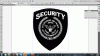
Sneaked this in while doing a personal work project. It's a screenshot of the vector logo in Corel Draw. But far from finished.
It has roughly 215,000 vector objects which I have to clean and whittle down to make a smaller file.
And I have to redraw the shield as well as smoothen the laurettes. The eagle might be a problem, but let's see...
I could have done it with Illustrator but I'm more comfortable doing these things in Corel.
View attachment 14873
Hope you don't mind I'm slow with this. Also got a real world project at hand.
It has roughly 215,000 vector objects which I have to clean and whittle down to make a smaller file.
And I have to redraw the shield as well as smoothen the laurettes. The eagle might be a problem, but let's see...
I could have done it with Illustrator but I'm more comfortable doing these things in Corel.
View attachment 14873
Hope you don't mind I'm slow with this. Also got a real world project at hand.
agentmoeller
Guru
- Messages
- 1,349
- Likes
- 1,014
It wouldn't be ridiculously hard in Illustrator.
Give it a try.
Load it and trace it with the pen tool.
Give it a try.
Load it and trace it with the pen tool.
dv8_fx
Retired Administrator
- Messages
- 12,219
- Likes
- 3,713
It wouldn't be ridiculously hard in Illustrator.
Give it a try.
Load it and trace it with the pen tool.
True... if he's got the patience.
I'm safer with Corel.... lol... chicken lizard.
I got as far as setting up tracing, got the threshold to where I want it, tried to use the pen tool and it wont work. Tried to use the brush tool, also wont work. I'm already having extreme urges to break an HP over my knee! god bless you guys for knowing how to use this stuff, LOL 
agentmoeller
Guru
- Messages
- 1,349
- Likes
- 1,014
What version of Illustrator are you using?
You may have locked the layer, and are trying to use the tools on it.
A screenshot might help.
Agent
You may have locked the layer, and are trying to use the tools on it.
A screenshot might help.
Agent
dv8_fx
Retired Administrator
- Messages
- 12,219
- Likes
- 3,713
Bump... sorry for the delay. Had to do my work before getting back to this.
Here's my WIP....
View attachment 14929
It's a rebuild. I had to make it assymetrical taking into consideration the patch embroidery could have distorted the logo.
The colos are the default red black and deep yellow of CorelDraw. Do you want to follow the colors on Patch? Or do you have the logo color specs?
It's the eagle I have trouble with .... If you look at the wing tips, there's an outline. Do you think the eagle in the original logo has outlines?
If all goes well, this will finalized tomorrow.
Here's my WIP....
View attachment 14929
It's a rebuild. I had to make it assymetrical taking into consideration the patch embroidery could have distorted the logo.
The colos are the default red black and deep yellow of CorelDraw. Do you want to follow the colors on Patch? Or do you have the logo color specs?
It's the eagle I have trouble with .... If you look at the wing tips, there's an outline. Do you think the eagle in the original logo has outlines?
If all goes well, this will finalized tomorrow.

iDad
Guru
- Messages
- 8,715
- Likes
- 2,556
View attachment 14930here ya go. have a ball!
dv8_fx
Retired Administrator
- Messages
- 12,219
- Likes
- 3,713