KantusThiss
Member
- Messages
- 10
- Likes
- 1
Get ready, this is lengthy!!
Hey guys,
First time on any photoshop forum and this is because i am in great need of peoples skills and knowledge. Im currently doing a Body of Work for Art (Im in Year 12 the last year. So yeah this artwork is major and makes up half my mark of the year in Art).
My idea is to use a photo of me (17 year guy) and a photo i took of a tiger and put the tigers face on mine. Now it truly is as simple as it sounds. Im just using masks to colour in the tigers face on mine and hey pronto! ive done my major in a day!!!! This idea though good concept wise (Concept: Though we call ourselves humans, we still have animilistic emotions. Eg. rage of a tiger) is lacking in spectacle and, well, flash. I need this to be amazing!!
As i said i have just been using masks and so far though it looks good its too dam simple. The way im giong to set this up is to have 3 photos of me: 1 slightly sad, 2 angry, 3 enraged. The first will have a bit of the tigers skin, the second more and the third my face will be covered in tiger face (sounds hilarious dont it?)
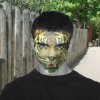
This is kindve a practice so you guys can see the direction im going in:
So yeah, basically im just asking if u guys have any ideas, tutorials or tips that i can use to make this artwork great! Anything that could be of any use!!!
Much <3 and appreciation
Hey guys,
First time on any photoshop forum and this is because i am in great need of peoples skills and knowledge. Im currently doing a Body of Work for Art (Im in Year 12 the last year. So yeah this artwork is major and makes up half my mark of the year in Art).
My idea is to use a photo of me (17 year guy) and a photo i took of a tiger and put the tigers face on mine. Now it truly is as simple as it sounds. Im just using masks to colour in the tigers face on mine and hey pronto! ive done my major in a day!!!! This idea though good concept wise (Concept: Though we call ourselves humans, we still have animilistic emotions. Eg. rage of a tiger) is lacking in spectacle and, well, flash. I need this to be amazing!!
As i said i have just been using masks and so far though it looks good its too dam simple. The way im giong to set this up is to have 3 photos of me: 1 slightly sad, 2 angry, 3 enraged. The first will have a bit of the tigers skin, the second more and the third my face will be covered in tiger face (sounds hilarious dont it?)
This is kindve a practice so you guys can see the direction im going in:
So yeah, basically im just asking if u guys have any ideas, tutorials or tips that i can use to make this artwork great! Anything that could be of any use!!!
Much <3 and appreciation


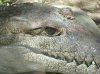
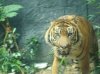
 and im not really bothered going back to the zoo too try my luck again with the tiger. I suppose i can change the profile of me. Well see how that works