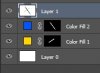
I have one image on top of another and I want to blend them together.
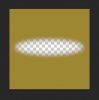
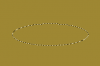
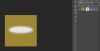
I know you can do this by drawing black on the layer mask. What I want to do is get this black blur on my layer mask:

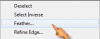
I know I could use the gradient tool to draw on the layer mask to create this effect, but the gradient tool only has a circle. As you can see I need kind of an elongated circular gradient. I was able to create the above gradient using the shape tool and adding an inner glow effect. I just cant figure out how to add it to the layer mask.
Any help would be great thanks!
I know you can do this by drawing black on the layer mask. What I want to do is get this black blur on my layer mask:
I know I could use the gradient tool to draw on the layer mask to create this effect, but the gradient tool only has a circle. As you can see I need kind of an elongated circular gradient. I was able to create the above gradient using the shape tool and adding an inner glow effect. I just cant figure out how to add it to the layer mask.
Any help would be great thanks!