What's new
Photoshop Gurus Forum

Welcome to Photoshop Gurus forum. Register a free account today to become a member! It's completely free. Once signed in, you'll enjoy an ad-free experience and be able to participate on this site by adding your own topics and posts, as well as connect with other members through your own private inbox!

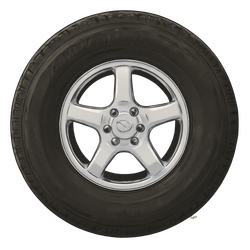
Paid Re-draw this tire image


Status
Not open for further replies.

LibbyL

Active Member
Messages
28
Likes
9
Price
5
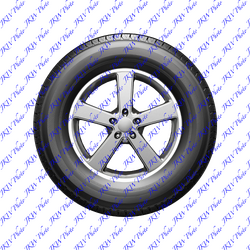
Hi, this is kind of an odd request but I'll do my best to explain. The first image is my band's album cover. We had the artwork of the people custom drawn. However, the tire is just a cheap AI generated image I made. I can't find anything better to replace it because it's exactly the colors and the shape that I want. I just don't like how it looks so blurry, as the foreground of the image. The people behind the tire are much sharper looking and drawn with detail. Is there any possible way the tire image can be edited to look like the same sharp sketch style as the people? You only have to edit the tire image; I will drag it into the album artwork myself. Let me know if anyone thinks this is possible or if I'm even making sense. Thanks!

album cover.png

tire.png
 
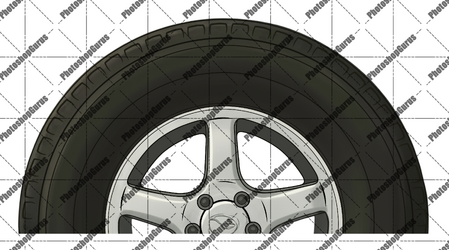
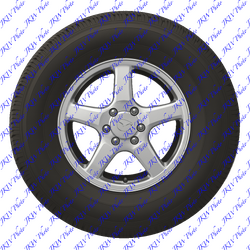
@thebestcpu This is close - I like the crispness of the tire - but the rubber part is not large enough and the inside of the wheel is a bit too large; I need it to be exactly the same shape as the original one. Also I'd like the colors to be kept about the same. Thank you!Screenshot 2025-09-22 at 5.10.28 PM.png
 
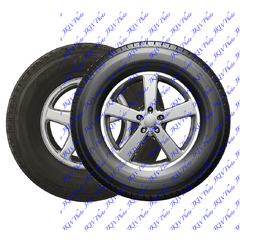
my try whit a new tire
@kabak thanks! It's a little too monster-truck looking for me... I don't want the tire so 3D. Basically just need the original matched as closely as possible but it needs to be a lot sharper so it looks like it was drawn by the same hand that drew the people.
 
Status
Not open for further replies.

Back
Top