
Photoshop Gurus Forum
Welcome to Photoshop Gurus forum. Register a free account today to become a member! It's completely free. Once signed in, you'll enjoy an ad-free experience and be able to participate on this site by adding your own topics and posts, as well as connect with other members through your own private inbox!
You are using an out of date browser. It may not display this or other websites correctly.
You should upgrade or use an alternative browser.
You should upgrade or use an alternative browser.
I have a small problem with the Layer and Properties tabs.
- Thread starter donmaxi
- Start date
-
- Tags
- help a beginner
- Messages
- 3,383
- Likes
- 3,112
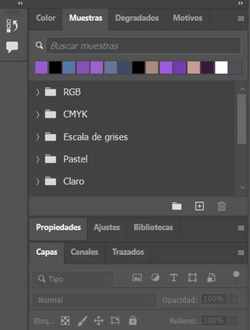
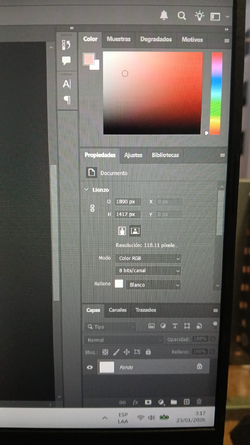
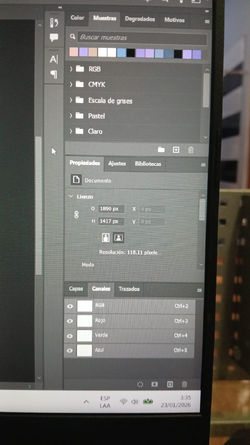
When I have the Swatches panel open, it won't let me have both the Layers panel and the Properties panel open at the same time.
View attachment 153355
Hi @donmaxi
When there is not enough room for both panels, when you click on a tab in one panel, it will close the other panels to make enough room to show them.
You can pull the properties panel off to the side and it should stay open then.
John Wheeler
Hi @donmaxi
When there is not enough room for both panels, when you click on a tab in one panel, it will close the other panels to make enough room to show them.
You can pull the properties panel off to the side and it should stay open then.
John Wheeler
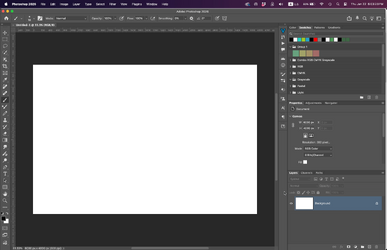 This image is not mine, but here it is allowed.
- Messages
- 3,383
- Likes
- 3,112
Yes, for the image in your last post, there is plenty of room, so the panels did not have to collapse.
If you still have the problem with Photoshop, can you provide a full screenshot of the Photoshop window showing the problem?
John Wheeler
If you still have the problem with Photoshop, can you provide a full screenshot of the Photoshop window showing the problem?
John Wheeler
Yes, for the image in your last post, there is plenty of room, so the panels did not have to collapse.
If you still have the problem with Photoshop, can you provide a full screenshot of the Photoshop window showing the problem?
John Wheeler
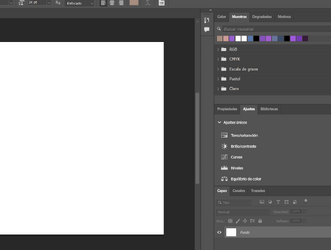
I just gave it a lot of space and it's still the same.
It seems that the problem only occurs with properties and layers when the swatches tab is also selected, because it doesn't happen with the settings tab.
- Messages
- 3,383
- Likes
- 3,112
I do not see what is causing your problem from your partial screenshots. I cannot reproduce your issue on my system.
You could always try Window > Workspace > Reset..........
And see if that clears it up
John Wheeler
You could always try Window > Workspace > Reset..........
And see if that clears it up
John Wheeler

- Messages
- 24,336
- Likes
- 13,736
I agree with John here. There should not be a problem here.
In your sample image, you have both panels open which are both tabbed, you just need to select the "properties" tab! This will display the "swatches", "properties", and the "layers" panels.
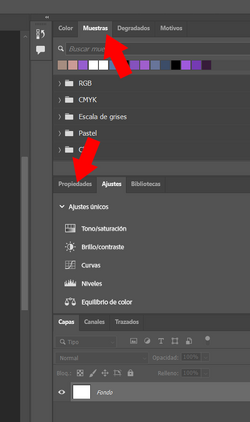
In your sample image, you have both panels open which are both tabbed, you just need to select the "properties" tab! This will display the "swatches", "properties", and the "layers" panels.
This is what happens: they don't open at the same time. If everything were different, they would open.I do not see what is causing your problem from your partial screenshots. I cannot reproduce your issue on my system.
You could always try Window > Workspace > Reset..........
And see if that clears it up
John Wheeler
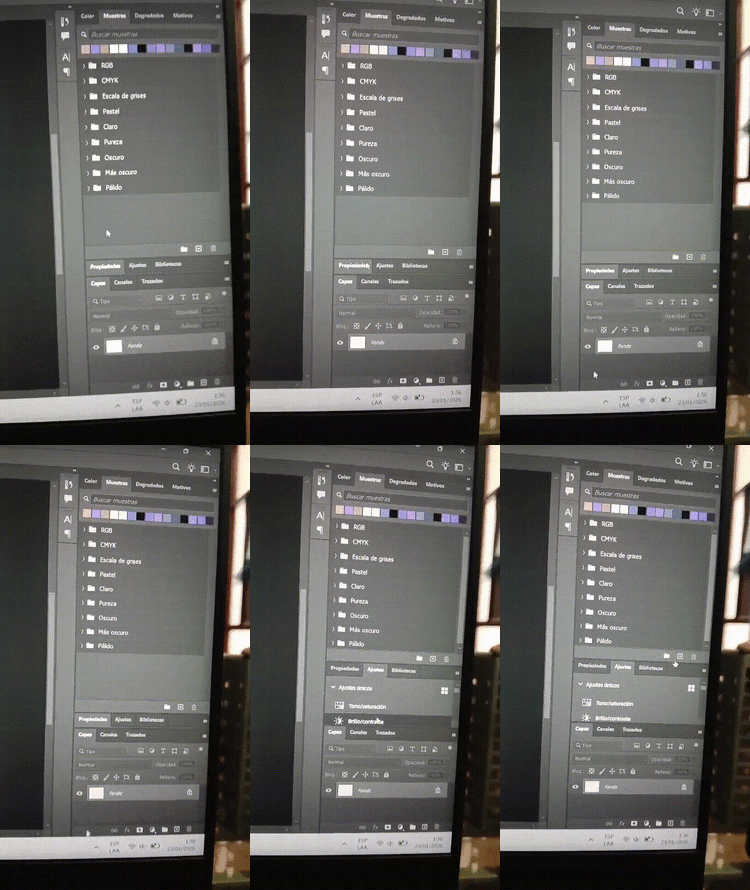
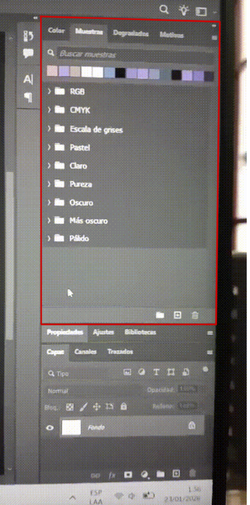
Hmm, I tried that and it's the same. I also tried selecting it in the window tab.
- Messages
- 24,336
- Likes
- 13,736
Based on your second vid, your "PROPERTIES" panel also needs to be made smaller/shorter!! Your panels are too large for the space you want them to be in!Hmm, I tried that and it's the same.
I can't minimize it if the other tab isn't open.Based on your second vid, your "PROPERTIES" panel also needs to be made smaller/shorter!! Your panels are too large for the space you want them to be in!
Besides, that doesn't seem to be the problem when the Color tab is open.
- Messages
- 24,336
- Likes
- 13,736
Your not minimizing the panel, you are making it shorter by dragging from the bottom!I can't minimize it if the other tab isn't open.
You are trying to make long panels to fit in a specific space!
This shows the (Blue) panels are too large for the (Grey) area where you want them to go!
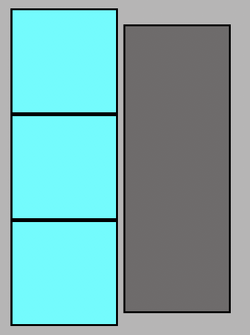
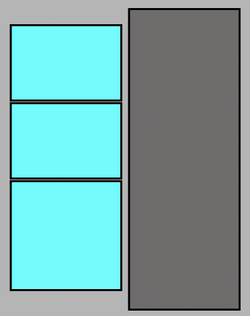
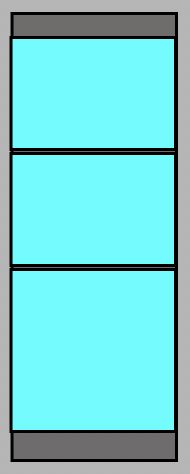
Make the panels shorter, and they will fit!
I understand what you're saying, but why doesn't it happen when I select the Channels tab? Why specifically only with those two?Your not minimizing the panel, you are making it shorter by dragging from the bottom!
You are trying to make long panels to fit in a specific space!
This shows the (Blue) panels are too large for the (Grey) area where you want them to go!
View attachment 153369
Make the panels shorter, and they will fit!
View attachment 153370
View attachment 153371
- Messages
- 24,336
- Likes
- 13,736
OK...........each TAB has it's own size. The "Channels Tab" and the "Paths Tab" panels are shorter and they don't cause Ps to "minimize" another panel because it's too long! Your "Layers Tab" panel is too long and therefore it causes Ps to minimize another panel.I understand what you're saying, but why doesn't it happen when I select the Channels tab? Why specifically only with those two?

- Messages
- 24,336
- Likes
- 13,736
Are you using a smaller laptop?
Monitor size does matter! A smaller monitor will limit the space on your layers dock.
I'm using a 27" monitor and I have plenty of room!
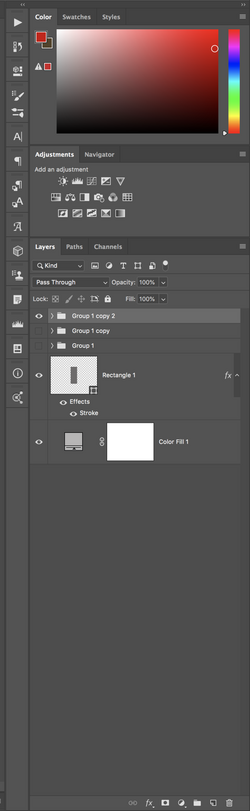
However, I still prioritize which panels I want in the dock. The others go to the Panel Icon bar. There I can just click on them when I need them............
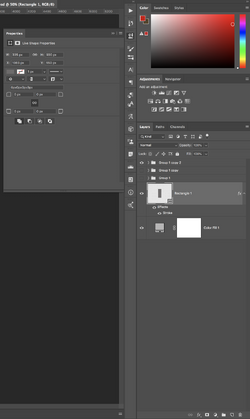
Monitor size does matter! A smaller monitor will limit the space on your layers dock.
I'm using a 27" monitor and I have plenty of room!
However, I still prioritize which panels I want in the dock. The others go to the Panel Icon bar. There I can just click on them when I need them............
- Messages
- 24,336
- Likes
- 13,736
Another option in order to make your panels dock seem larger, would be to make the Photoshop interface smaller on a laptop, adjust the UI font size to "Tiny" or "Small" via Edit > Preferences > Interface and enable "Scale UI to Font"
- Messages
- 3,383
- Likes
- 3,112
Just another confirmation that this is a UI size issue: on my MacBook Pro, I lowered the screen resolution so that all elements of the Photoshop UI were quite a bit larger. Sure enough, when I lay out the panels as @donmaxi did, I get the same behavior. When opening up the properties panel, the Layer Panel drops to the bottom and collapses. It does not do this for the Channels tab, as the panel is much shorter.
Very strong indication that there just not enough room to keep all three grouped panels open when the amount of room is too small
John Wheeler
Very strong indication that there just not enough room to keep all three grouped panels open when the amount of room is too small
John Wheeler