What's new
Photoshop Gurus Forum

Welcome to Photoshop Gurus forum. Register a free account today to become a member! It's completely free. Once signed in, you'll enjoy an ad-free experience and be able to participate on this site by adding your own topics and posts, as well as connect with other members through your own private inbox!

Specific Red/Blue Eye Removal?


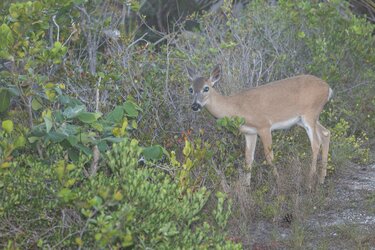
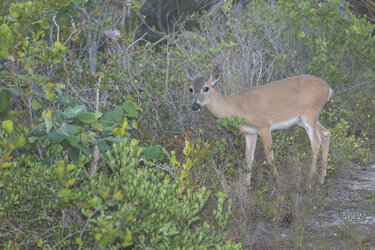
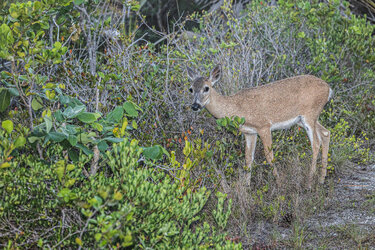
Hi, Can someone please remove the red eye (or blue eye) from this deer photo?
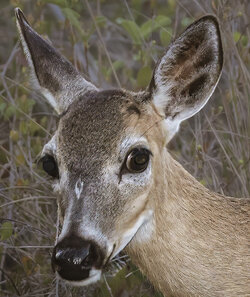
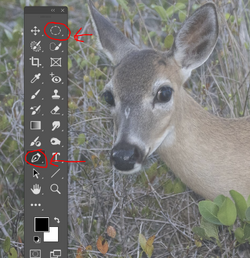
To answer your question, you can use any selection tool that works. I used the pen tool but you can also use the elliptical marquee tool for instance. Once the selection is made, you can use content aware fill to get rid of the blue glare...

*Edit - Keep in mind that Photoshop can give you many different ways to edit an image. Try different things - that's the way you learn what works and what doesn't. Each edit will be unique - in the image above I used the pen tool and content aware fill. Might not work on a different pair of eyes. Just experiment, watch videos, keep at it. Leaning is a process, or, as I like to say, every day's a school day. :)

1780331775729.png
 
Last edited:
To answer your question, you can use any selection tool that works. I used the pen tool but you can also use the elliptical marquee tool for instance. Once the selection is made, you can use content aware fill to get rid of the blue glare...

*Edit - Keep in mind that Photoshop can give you many different ways to edit an image. Try different things - that's the way you learn what works and what doesn't. Each edit will be unique - in the image above I used the pen tool and content aware fill. Might not work on a different pair of eyes. Just experiment, watch videos, keep at it. Leaning is a process, or, as I like to say, every day's a school day. :)

View attachment 153826

Thank you!
 

Back
Top