
Photoshop Gurus Forum
Welcome to Photoshop Gurus forum. Register a free account today to become a member! It's completely free. Once signed in, you'll enjoy an ad-free experience and be able to participate on this site by adding your own topics and posts, as well as connect with other members through your own private inbox!
You are using an out of date browser. It may not display this or other websites correctly.
You should upgrade or use an alternative browser.
You should upgrade or use an alternative browser.
Specific Horizon light sliver and water color
- Thread starter white101
- Start date
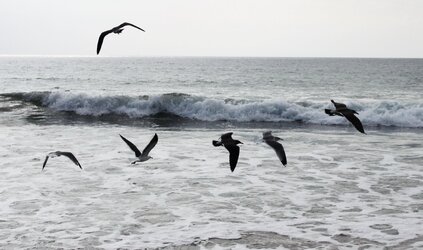
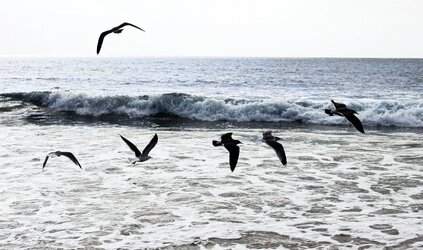
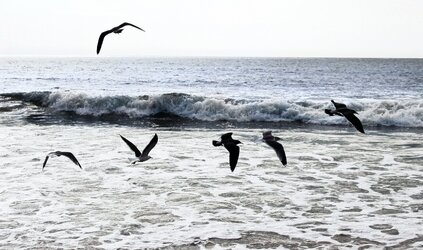
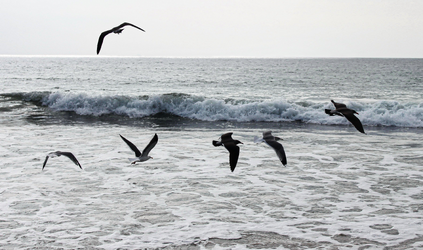
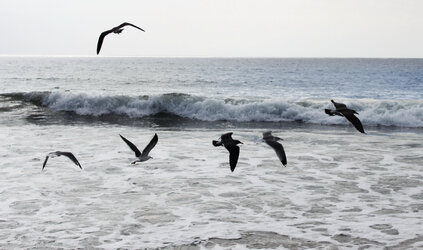
Love the sharpness of the wave. To get the white sliver on the horizon, the sky and water need to return to their original grey. Some touches of green would be nice in the crashing wave (translucent) and above the wave in the dark area. Some touches of blue midway between the wave and the horizon on the right side would be ideal. Thanks.

- Messages
- 24,336
- Likes
- 13,736
There seems to be some confusion as to what you mean by, "extending the horizon to the RIGHT" Horizons can only go up and down.Please extend the horizon line past midway to the right
This is the horizon line. It can only be moved up or down.......
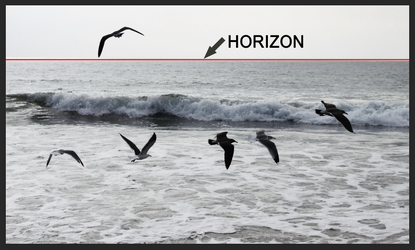
Please explain! This is very confusing.To get the white sliver on the horizon, the sky and water need to return to their original grey.
Where the water meets the horizon, there are two distinct tonal variations in your photo.
The red arrow shows a white area between the water and the sky, possibly land.
The blue area shows a much more delineated dark water and a lighter sky.
Are you wanting the "red arrow" area to extend all the way across to the right???
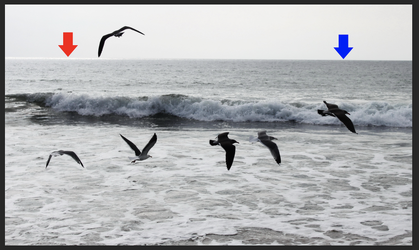
Sorry for the confusion. As mentioned in my original request, I asked that the white sliver (the area marked by the red arrow) extend to about the middle of the image. This would be on the horizon going toward the blue arrow area.
The white horizon sliver is more prominent by contrast when the sky and water are the original gray image.
When I referred to some touches of blue, I meant them to be placed on the right side of the image, midway between the wave and the horizon. Not on the horizon.
The white horizon sliver is more prominent by contrast when the sky and water are the original gray image.
When I referred to some touches of blue, I meant them to be placed on the right side of the image, midway between the wave and the horizon. Not on the horizon.

- Messages
- 3,383
- Likes
- 3,112
Hi @white101
I am sure it is quite clear what you want in your mind; it's a bit hard to know exactly what you envision from a text description alone.
I extended the horizon line, decreasing its width as you move to the right so it was not an abrupt change.
For the color, I used a weighted gradient from left to right for the ocean up to and not including the horizon line as a somewhat transparent and Layer blend of color to do the colorization. It was an ocean Hue (which is closer to Cyan that Blue with a color wheel anble of 205 (blue = 240 and Cyan = 180) yet you may have wanted a slightly different hue, which is easy to change.
Thought it was worth a shot
John Wheeler
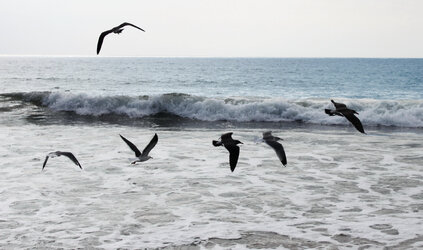
I am sure it is quite clear what you want in your mind; it's a bit hard to know exactly what you envision from a text description alone.
I extended the horizon line, decreasing its width as you move to the right so it was not an abrupt change.
For the color, I used a weighted gradient from left to right for the ocean up to and not including the horizon line as a somewhat transparent and Layer blend of color to do the colorization. It was an ocean Hue (which is closer to Cyan that Blue with a color wheel anble of 205 (blue = 240 and Cyan = 180) yet you may have wanted a slightly different hue, which is easy to change.
Thought it was worth a shot
John Wheeler
That's what I was looking for on the horizon, John. Thanks. The sky still looks slightly lighter than my original. I like Babine's sharp contrast of the wave and how he/she got back to the gray on the right at the horizon line. Other than Babine's right water color, the gray on the left should stay gray until about where the horizon sliver ends. I know it's difficult from the text, but you guys are doing great. Thanks
- Messages
- 3,383
- Likes
- 3,112
Interesting. I checked the ICC profile of your image and it was not the standard sRGB profile with a white point at D65 rather a white point of D50.
So this next version I left it in the original sRGB profile with D50 white point. That might have been the issue with if being a bit brighter. Also changed the color to fade towards the horizon.
INice shot BTW
John Wheeler
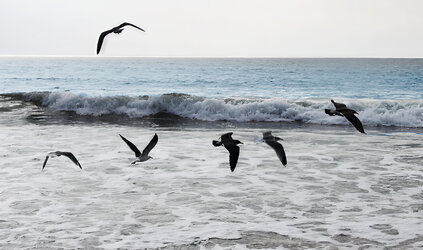
So this next version I left it in the original sRGB profile with D50 white point. That might have been the issue with if being a bit brighter. Also changed the color to fade towards the horizon.
INice shot BTW
John Wheeler
- Messages
- 3,383
- Likes
- 3,112
Changed the Hue from 205 to 218 (as in Babines) and faded it in from about the middle to the right.
John Wheeler
John Wheeler