What's new
Photoshop Gurus Forum

Welcome to Photoshop Gurus forum. Register a free account today to become a member! It's completely free. Once signed in, you'll enjoy an ad-free experience and be able to participate on this site by adding your own topics and posts, as well as connect with other members through your own private inbox!

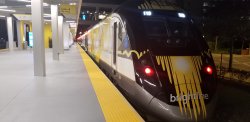
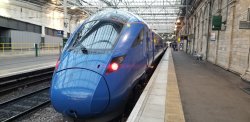
Specific 2 🚆 pictures into 1 - blend in middle


Ven

Active Member
Messages
27
Likes
1
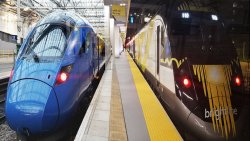
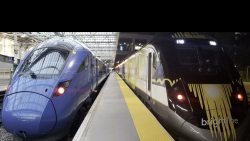
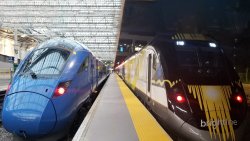
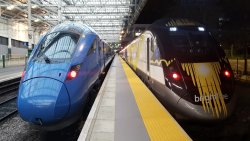
Hello. Looking to blend both of these 2 train w/ platform pictures into 1 16:9 ratio picture. If you could blend the two platforms at the vanishing point (or if you think another blend would look good like just blending the two platforms on the entire length). Blue đźš„ on the left.

Thank you20211128_200751.jpg20211124_152303.jpg
 
The OP wants three things:
  1. the vanishing points to merge
  2. preservation of the original train shapes
  3. overall 16:9 aspect ratio
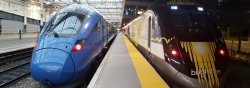
The only way to satisfy all three conditions is something like this. Of course the hard part is dealing with the empty black space at the top, which I don't have time to do right now.

(By the way... I used Jeff's image above for this.)

  1. 1640193755515.png
 
The OP wants three things:
  1. the vanishing points to merge
  2. preservation of the original train shapes
  3. overall 16:9 aspect ratio
The only way to satisfy all three conditions is something like this. Of course the hard part is dealing with the empty black space at the top, which I don't have time to do right now.

(By the way... I used Jeff's image above for this.)

  1. View attachment 126613
Thank you for this added part 🙏
 

Back
Top