
What's new
Photoshop Gurus Forum

Welcome to Photoshop Gurus forum. Register a free account today to become a member! It's completely free. Once signed in, you'll enjoy an ad-free experience and be able to participate on this site by adding your own topics and posts, as well as connect with other members through your own private inbox!

a little bit of help?


msirae

New Member
Messages
2
Likes
0
i've been looking forever to try to find out how to do this effect but i've had no luck so far. :c

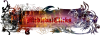
basically, i'm wondering how something like this is achieved:
fb.png

where brushes are used to kind of define the shape of the final image. i've been told it's done with masks/layering, but i know nothing about them and i'm super confused.
 
This is pretty advanced image composite. If you know nothing about masks and layers, you're really not going to be able to pull of a composite like this. If you're a newbie, learn the basic tools, practice basic skills and work up towards doing something like this. Using Photoshop is a bit like playing an instrument. You can't expect to belt out a jazz improv solo the first day you pick up a saxophone.
 
i know a lot about layers but next to nothing about masks.

i've been using photoshop for almost 3 years now; i can do a lot of things, whether or not any of them are impressive i don't know.
 
Get familiar with masks. Do a search for Photoshop masking tutorials. Masks are a fundamental feature to a plethora of advanced techniques and are essential to working successfully in Photoshop. The artwork elements used in the image are most likely vector clip art or purchased from a stock art source and incorporated into the design. There may be custom brushes like this one, but remember that brushes are bitmap images and don't reproduce well when enlarged.

At this point, it's not important to be doing anything impressive. Master the basic tools and techniques first, the impressive stuff will come with practice. Lots and lots and lots of practice.
 

Back
Top