
Hi, newbie to photoshop, I am using CS3. I am designing a flash game, and the player's perspective will be an aerial view of a city. Furthermore it is a zombie game, so I am going for a bit more tense/dark feel (but not excessively/distractingly so).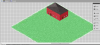 This is the basic start, there will be about 100 buildings on the map. This grass tile will have about 4 houses on it, as well as sidewalks, roads, signs, etc.I was thinking something like a Lomo effect might be nice, although that seems a bit tricky to pull off... I wouldn't mind a more simple/basic effect.Thanks for any help!
This is the basic start, there will be about 100 buildings on the map. This grass tile will have about 4 houses on it, as well as sidewalks, roads, signs, etc.I was thinking something like a Lomo effect might be nice, although that seems a bit tricky to pull off... I wouldn't mind a more simple/basic effect.Thanks for any help!