
jonny246800
Member
- Messages
- 13
- Likes
- 0
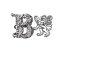
Hello Gurus. I'm fairly new to photoshop so I'm really trying to learn as much as I can here. I've been really interested in the Heraldry type of shapes, like family crests, font, shields, and so on. I have put together 2 designs which I could really use some help with improving upon. I took images from various websites, which by the way give users free use of them so no legal issues there. I would like to maybe simplify the images a bit and maybe extenuate some of the shapes a little. The first image with the shield I would like to simplify a little more and maybe make the shield a little thicker. For the image with the B and the lion I was thinking maybe the Lion could put it's palms on the B to make it look like a one piece image. Also I was thinking to maybe have the lion look more like the B image.
If you guys have any suggestions on how to improve them or would like to play around with the images a little I would greatly appreciate it. After seeing some of the other posts and how some of the members have helped other members improve their images, I can say I'm very confident in the ability of a lot of the members on this forum.

If you guys have any suggestions on how to improve them or would like to play around with the images a little I would greatly appreciate it. After seeing some of the other posts and how some of the members have helped other members improve their images, I can say I'm very confident in the ability of a lot of the members on this forum.