Hello everyone!
I would like to know if CS6, it is possible (when cropped an object with magic wand) to establish the margins that the subject must have respect to the edges of the image.
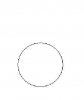
For example I'm 20 images (of same size) containing circles of different sizes. I wish that everyone was in the same format with margins fixed 25px from the edges of the image.
Resulting in the end, 20 pictures with circles of equal size.
I do not know if I have explained: S
Meanwhile, thanks to all
I would like to know if CS6, it is possible (when cropped an object with magic wand) to establish the margins that the subject must have respect to the edges of the image.
For example
I'm 20 images (of same size) containing circles of different sizes. I wish that everyone was in the same format with margins fixed 25px from the edges of the image.Resulting in the end, 20 pictures with circles of equal size.
I do not know if I have explained: S
Meanwhile, thanks to all