What's new
Photoshop Gurus Forum

Welcome to Photoshop Gurus forum. Register a free account today to become a member! It's completely free. Once signed in, you'll enjoy an ad-free experience and be able to participate on this site by adding your own topics and posts, as well as connect with other members through your own private inbox!

blowing up a texture and sharpening it how can it be done on photoshop?


Zeealex

Retired Forum Moderator
Messages
2,694
Likes
906
i've been wondering for quite a while, as you know, i mod this old game and the textures are low res, they are alright on characters but the weapons get all fuzzed and horrible, it looks like nothing has changed from when they were low res.

i am doubling the size here. possibly tripling if the game will allow it. but they don't seem to really make a difference even when i try to smooth them out or sharpen them up.
i use High pass and maximum, and then put them both on soft light over the original texture, before merging them and using unsharp mask.

does anyone have some pointers to give on how to make them look better when i'm doubling the size. using JUST photoshop, i can't afford all the fancy plugins at the moment.

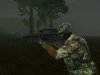
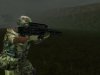
here's a visual example for you:

Low Res:
View attachment ScreenShot8.bmp
High Res:
View attachment ScreenShot1.bmp

there's virtually no change.

what am i doing wrong?

EDIT: ugh, can you please fix this little problem Vbulletin has with.bmp files?
 
bitmaps are not designed for web you cant upload a bmp directly in post without us downloading it
 
to get a higher resolution texture on the gun without it looking the same as the low resolution image, and what the best way to smooth out a double sized image rather than making it look tacky, i've explained my method in the first post, but there's something i'm doing, wrong, because both of them look the same only one is darker. the whole point of higher res images is to make the texture look better and smoother, but obviously, something isn't clicking into place right.
 
Oh so you want the texture on the gun to have more texture but enlarged.

I have enlarged just the gun to almost 5000 pixels and applied unsharp mask just to the gun but had to increase the resolution from 72 dpi to 300 dpi.

However psg wont let me upload such a large image.

can you edit the texture file seperately or purely from the image you have.
 
ah, so it's a DPI and unsharp mask kind of thing.

not quite following what you mean by editing the texture seperately. like, the actual gun's texture RSB file?
yep, that's what i did, I've just screenshotted it ingame as the actual file wasn't a good example.

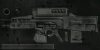
If you want i can convert the .rsb to a jpeg and upload it for you.
 
i suppose the engine would go a bit mad if it was over double the size of the original low res texture. it's a bit of an apath really, i'll try a triple size and see if it allows it.
 
Making the map larger will not improve the quality unless you actually improve it. So you have to re-create the mapping or improve it by hand, you are never going to get the exact perfect quality resolution scale-up of an image, it is not possible. (imagefractals is okay, but still is not perfect)

So google some gun maps and try to align it as much as you can over the enlarged image... If you still need some help let me know, I have done some of that stuff before(modded GTA).
 
thanks hoogle, that looks fab, i'll try it out ingame and see how it looks, and thank you DotGamma i will see if i can find another texture map to use or make my own for updating the quality of other guns (as this isn't the only one needing an update)
 
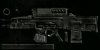
Oh FYI it is a new texture overlayed and set to multiply and then sharpened clipped to the gun. and then did an exposure adjustment to brighten up a bit.
 
8cnyU.png

http://i.imgur.com/8cnyU.png

I re-made a few things in it for you if you want them
 

Back
Top