

xtrme
Well-Known Member
- Messages
- 49
- Likes
- 37
Channel Mixer is one of my favorite Photoshop features. This photo shows one of the ways it comes in handy. In this example the entire image was converted to black and white (easier).
If you're unfamiliar with channel mixer and want to try it -Image/Adjust/Channel Mixer- or it's also an adjustment layer- download the "before" image, check the "Monochrome" checkbox in channel mixer and set the sliders to 0 for both red and green, 100 for blue.
before:
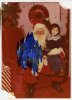
after:

If you're unfamiliar with channel mixer and want to try it -Image/Adjust/Channel Mixer- or it's also an adjustment layer- download the "before" image, check the "Monochrome" checkbox in channel mixer and set the sliders to 0 for both red and green, 100 for blue.
before:
after: