What's new
Photoshop Gurus Forum

Welcome to Photoshop Gurus forum. Register a free account today to become a member! It's completely free. Once signed in, you'll enjoy an ad-free experience and be able to participate on this site by adding your own topics and posts, as well as connect with other members through your own private inbox!

can anyone help my convert hand drawing to line art


all of it tbh, ive never done anything like this before and i need as much help i possibly can get, so ideally im looking for sombody to do it for me for free or im prepared to pay, ive got several pictures that i need doing, if you could possibly help me, thanx again!
 
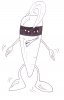
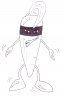
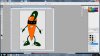
First you have your drawing
1.jpg

Duplicate the layer and make a new layer under it.
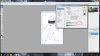
Use the blend if sliders to get just the outline.
2.jpg

Merge layers onto a new layer with cntrl+shift+alt+E
Levels adjustment to darken then lines. Cntrl+L and paint in any faint areas with black.
3.JPG
Then use solid color fills to fill in the rest. Paint on the masks to hid/show color where you want it.
4.jpg
Remember when painting on masks to black - conceals / white - reveals.
 
Stric9, ive dublicated the layer, then i added the layer underneath that one and when i get to the blending options it doesnt seem to being doing anything, any chance you can help me out with where im going wrong, thanx!
 
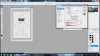
Make sure you layers pallet looks like this

layers pallet.JPG
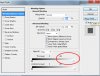
Now bring up the blending options dialoge box for the layer with the carrot on it and look for this slider.
2.JPG
Put it on this setting to make the white disappear. Make sure you have the background layer hidden or you wont see anything happen.
3.JPG
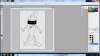
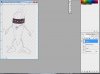
Now with the background layer hidden merge layers onto a new layer with Cntrl+shift+alt+E. This should be your end result.
4.JPG
 
Stric9, ive done all of that, any chance you can go into detail with the colouring please, im a novice to all of this so thanks for all your help so far!!!!!!!!!!!!!!!!!!!
 
That is weird, I also thought you wanted them animated, or at least thats what you told me. Anyway, I hope others have helped you out more than I could.
 
Starting from here
1.JPG

There are a couple diffrent ways to do this......I'll give you one. I personally would use color fills, but I'll show you how to paint these.

Create a new layer under your drawing layer.
2.JPG

Then pick a color and paint in the lines with the brush tool set at 100% hardness.
3.JPG
repeat for each color. Use the eraser tool to remove excess paint.

Happy painting.
 

Back
Top