What's new
Photoshop Gurus Forum

Welcome to Photoshop Gurus forum. Register a free account today to become a member! It's completely free. Once signed in, you'll enjoy an ad-free experience and be able to participate on this site by adding your own topics and posts, as well as connect with other members through your own private inbox!

Cloning help?


fuzzbass

Member
Messages
8
Likes
0
My names Steve. I play in a three piece band, like photography and making silly photoshopped photos of my friends!

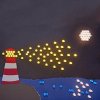
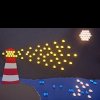
I have a photo that is rectangular in shape that I would like to make square to use as a record cover for our new record. Picture attached. I would have usually cloned the sky to make the picture square, but the sky has a slight texture to it, and is lit up in parts. (it is a photo of a picture made of paper with led lights poking through it). I was wondering if anybody could give me any hints or tips on how to achieve this?

Many Thanks

Steve Hansey
 

Attachments

  • I Will Not Lose You To The Sea Master Square.jpg
    I Will Not Lose You To The Sea Master Square.jpg
    6.2 MB · Views: 16
will content aware scale not do it

go to edit > content aware scale and drag the top transform line up to make it a square you may need to extend the canvas slightly and use this in combination with a crop
 
Many thanks for your help...
Is this option available in Photoshop Elemants 9?
I can't find it, it may not be... :-(

Steve
 
i would copy/paste the bottom half of the sun(only the BG part) and flip it so the bottom can then be placed at the top.
then the rest can easily be cloned
 
content aware fill is different to content aware scale I am uploading the scale 1 now but is 16 mb in size and my internet has suffered snow damage so will take a while.

I am not sure if elements has this feature or not give me a min and my next post will be using the content aware scale version not sure why you need it in such a high resolution for a cd cover but done it like that for you anyway
 
Wow! That's perfect Dirty Napkin! How did you do it? I tried cloning with a speckled brush, cloning over a new almost matching blue laver, mirroring the whole picture... How did you do it? Thanks Hoogle too! I'm really tring to improve my Photoshop this year, got a new dslr camera in October and now working on new record covers for my band's music!

Wow, and thanks again to both of you!

Steve
 
The resolution came from the original photo, i thought i'd leave it as it was, then reduce it for smaller jpgs for use on web etc later...
 
I Will Not Lose You To The Sea Master Square.png
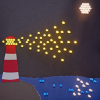
This is what content aware scale does I was already uploading it before the clone option from napkin came up so may as well finish the post
 

Back
Top