What's new
Photoshop Gurus Forum

Welcome to Photoshop Gurus forum. Register a free account today to become a member! It's completely free. Once signed in, you'll enjoy an ad-free experience and be able to participate on this site by adding your own topics and posts, as well as connect with other members through your own private inbox!

Colorizing white, I need help.


Shazoo

Member
Messages
13
Likes
0
I know how to colorize some photos in photoshop, but I'm trying to colorize a white shirt with little to no gray scale in the white. I have already adjusted the levels, but I don't know how to get photoshop to change a pure white into color. Please help. I know how to crop and use the pen tool and blah blah blah, I just don't know how to get the white into color. I'm sure there is something I need to do, I just don't know what that is. I am restoring a photo for my parents anniversary. Please don't tell me how to go through the whole colorizing process, I already know how to colorize things with mid tones and shadows. I am just having trouble with white highlights.
:lol: Thanks! Help much appreciated and I will thank you in return!
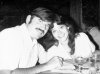
 
make a selection of the shirt add a hue saturation adjustment layer
for white move the lightness slider (the bottom 1) towards black
and for black move towards white
then adjust hue and saturation sliders.
 
thank you for thanking me lol

you will find you will not be able to get rich colours from it I sometimes play around and build up colours sometimes putting a 50% grey layer clipped to just the white shirt and with a blending mode that still lets some of the shirt texture come through that way you can start to build up deeper colours but very fiddly without getting saturation Noise.
 
I love this forum! I will post it when I'm done, I am messing around with it. I have been for hours.
 
I'm taking digital imaging, photography and graphic design in college at a technical school and I'm learning all of these things slowly. I have trouble in Photoshop sometimes though, because I am color blind and I get a lot of colors mixed up. haha
 
Not brilliant but not an easy task if you are new to colouring in black and white images this is about 30 layers lol
scan0001.png
 
It was actually harder than I was expecting just needs tidying up a bit now sometimes you just dont see the mistakes until you upload them
 
It rarely takes me an hour to do these normally 10 to 20 mins lol I didnt even realise how long I spent on it so thank you in case you are wondering or maybe want some ideas here is my PSD
I warn you now it is 45 layers but they are all grouped
View attachment scan0001.psd
It is probably overkill lol but I am to lazy to correct layers so just add other 1s on top
 
To get full color from white, use the value -50 on the lightness slider :D (+50 if color black is to be changed) and then you will have no problem changing the color...

Tell us more about what color it needs to be changed to, I'm pretty sure people here at PSG forums could help you :)
 
Never done this in a long time. Last was during Photoshop4.

I'd select a suitable photograph.... with the eyedropper tool, select pigment colors and shades (skin, eyes, clothing) to be added in the swatches and saved for future use.

So in effect, I hand painted the B&W pictures. creating selections and masks with the lasso or pen tool.
 
I had a quick go at it. I adjusted the exposure and the shadows/highlights a bit before I put the color on. I admit that it still looks a little washed out

I used adjustment layers for the skintones but I add the different colors of the other items (shirt, hair, dress, etc) with new layers set to "color" so that I can adjust them easily and individually.


scan0001a.jpg

I just did the figures. If you want the .psd, let me know.
 
Thanks guys for all your help and pics! I love what you guys did and appreciate it! But, I'm going to use mine anyways. I feel that since it's my gift to my parents it should come from me. But hey! You guys really helped!! :lol:
 

Back
Top