What's new
Photoshop Gurus Forum

Welcome to Photoshop Gurus forum. Register a free account today to become a member! It's completely free. Once signed in, you'll enjoy an ad-free experience and be able to participate on this site by adding your own topics and posts, as well as connect with other members through your own private inbox!

Copy Photoshop Image to fit on A4


JohnnyQuid

New Member
Messages
3
Likes
0
As a novice photoshop user, i would like to ask the following question:

I have a certain image in photoshop, which i would like to copy 2 times next to each other. I'm struggling to have it copy exactly as the original. The purpose is to put three images exactly next to each other, so that they would fit on a A4 paper without messing up the image itself (so it stays scaled as-is).

Hopefully someone can advice me the best way to go about this.
 
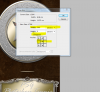
go to image >canvas size
choose units to percentage
select 300 % on width only
click on an arrow which way you want the canvas to go
canvas.PNG
 
Or if the sizes of the image are getting tricky open up a new document set the size of canvas to A4 then drag your image into the document transform it to size and duplicate the layer 3 times and line them up properly.


But honestly your best bet is the 1st way I mentioned and then resize the over all image to A4 either by resize or using the crop tool with A4 measurements selected
 
Ok it does expend the canvas, but it leaves me with a white back ground, not three duplicates of the layers, and so on. The canvas size is now correct i imagine but i need the image to copy three times as well.
 
Make 2 duplicate of the image layer and use your move keys to nudge everything in place.

1 press of the the left/right keys is 1 pixel nudge. CTRL+left/right equals 10 pixels.
 

Back
Top