What's new
Photoshop Gurus Forum

Welcome to Photoshop Gurus forum. Register a free account today to become a member! It's completely free. Once signed in, you'll enjoy an ad-free experience and be able to participate on this site by adding your own topics and posts, as well as connect with other members through your own private inbox!

correct dry brittle hair


ibclare

Queen Bee
Messages
9,890
Likes
4,028
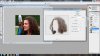
My niece has MS and I have a photo of her that I have been practicing retouching. I need to get a higher res one from my sister. Anyway, her hair is very affected by her health, meds, stress level, etc. I would like to find a way to soften it or something. I haven't found a filter that helps and I am not interested in buying any plugins. I could use the smudge tool I suppose but . . . I'm not sure I have that much time or the eyesight required, lol. Unless you can use it over a wide swatch and not make a muddy mess.

Any ideas Gurus? I'll be appreciating any and all ideas even if they don't work. That's the process sometimes.

Here before and afters, though since this is just a practice I'm really not looking for a lot of critique. I'll ask for that once I get the higher resolution photo and do this all over again :mrgreen:


emily_bef.jpg
emily.jpg

funny how different these look online. She is definitely more pale - OMG, sicker? not good - than she looked in PS. Why does that happen?
 
I WOULD take the original duplicate twice, put both dups in overlay mode that might help
 
That helped but it distorted the colors. I guess I need to start off fixing that rather than waiting till last which is what I did. That way I could try the duplicate layers and color correction right off the bat.

I also just noticed how big a halo the stray hairs created when they were included in the guassian blur. I may have to leave the BG as is. Mom won't care!
 
I also have a family member who suffers with this disease, so i know where your coming from Clare.
I did simular to your attempt, but i lost the halo you had and i also played in varying layers in specific areas of the face, like you said HI RES would make it so much easier.

View attachment 14301
 
I also have a family member who suffers with this disease, so i know where your coming from Clare.
I did simular to your attempt, but i lost the halo you had and i also played in varying layers in specific areas of the face, like you said HI RES would make it so much easier.

Thanks Paul. Yes, I will have to have a better picture of Emily to work with. But once I do, I will try to make it worthwhile. She is my favorite, but don't tell her!
 
Nice dirty, not bad at all. what's your technique? Now remember, I am only interested in the hair, not the skin and so on. I was playing around with color balance, etc., though if I change that, it may help with the hair problem.
 
a lot of careful cloning, then an overal levels, to bring up the shadows, and a levels on just the hair, to bring the shadows up even more.

to get just the hair i did a color select
 
I like your workflow. Tx for sharing that. Interesting combination of filter and adjustment layer. I'll give that a try, maybe just to a selection of the hair, or do both and play with opacities. I am not pleased with the effect on the face but then I asked you to ignore that!! Your method does soften and thicken the hair, so I will definitely play around with it.
 
I did this very quickly. I think the key is first cloning out all the frizz around her head - it will immediately make her hair look smoother. I then duplicated the layer and motion blurred it, and masked it in on areas where her hair looked very messy. Then sharpen up the areas of her hair that are naturally good. I also roughly painted in over some areas, like the large mass to the right of her eyes. I know you didn't want to mess with the colour, but it will definitely help. I also upped the curves, and put a black and white adjustment layer set to 'multiply' to bring out some black detail in her hair. The last thing you want is her hair looking blurry and cloudy - that's what makes it look bad in the first place. Try getting it as sharp and detailed as you can so it doesn't look like you've just blurred it in PS.

hair.jpg
 
I used a very similar method as the one above, but as this was done with the stamp tool and the smudge tool. the trick is the use a speckled brush and smudge in the same direction as the hair. The other thing is, you can go overboard with smoothing the hair, she is stood outside after all, so there is no need to over blur things to try and get perfection.
View attachment 14424
View attachment 14425
 
Last edited:
WOW, thanks guys, I thought this thread was already buried, lol!

Messing with the color is fine lololol; I'll play with anything on it. Your blurring really gave it a soft look. By the time I'm done it won't look like Em does when she wakes up, ha. But I've never thought portrait studio pics were all that realistic either :mrgreen:

Thanks Spruce, you're right about her being outside, so you would expect some messiness for sure. I like what you did.

Thank you stric9 for sharing the psd; very nice job for keeping it simple.

Thank you all. I'm really grateful (honored sounds a bit corny? but yeah, honored) for all the work you've done to help me here. I am anxious to get that high res version and get going on it. It's for Mother's Day (one of our great Hallmark Holidays in the States) and that's not till May. Of course, I may not be able to hold on to it that long :D
 
Clare you might try a little Dust and Scratches on the hair layer just to soften it a bit. Radius 1 with threshold around 4.

Then use reduce noise like this
1.JPG

Just some thoughts. You can adjust to your prefrence this way.
 
HI guys! Thanks everybody for all your help with this. I have a version at this point and I've used pointers from everyone. I will put it away for a month or so now and see how it looks. I plan to give it to my sister for Mother's Day so I have quite a bit of time. Maybe I can even get decent pics of her other two daughters (though one runs the other way when she sees a lens ... who knows).

So here's what I have now. I will redo it since I have errors and little messes from trying to implement one thing or another! I added back the halo of her hair but at a reduced opacity. It didn't look realistic all smoothed out. And I still have to work with the color balance in her face, lost several merged layers below!

emily_LG.jpg
 
Last edited:

Back
Top