
Hi,
The brush I'm using is attached.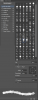
An artist I like uses this brush all the time, so I decided to give it a go. I've fallen in love with the look it gives my paintings, but sadly, I've noticed that it very often crashes Photoshop CS6 after only a few strokes. I refuse to give up on this brush (since it works just fine for him), so I want to find a way to make this work.
-Windows 7 64-Bit
-Adobe Photoshop CS6 64-Bit
-NVidia GeForce GTX 650 Ti (have tried every driver released since May 2013, no joy)
I have tried changing to "Basic" in the Performance window; still crashes. I have tried removing Scattering and Dual Brush effects; still crashes. I have tried increasing amount of Memory CS6 can use to 100%; still crashes.
My OS and CS6 are both the most up-to-date versions. What else is there left to try?
The brush I'm using is attached.
An artist I like uses this brush all the time, so I decided to give it a go. I've fallen in love with the look it gives my paintings, but sadly, I've noticed that it very often crashes Photoshop CS6 after only a few strokes. I refuse to give up on this brush (since it works just fine for him), so I want to find a way to make this work.
-Windows 7 64-Bit
-Adobe Photoshop CS6 64-Bit
-NVidia GeForce GTX 650 Ti (have tried every driver released since May 2013, no joy)
I have tried changing to "Basic" in the Performance window; still crashes. I have tried removing Scattering and Dual Brush effects; still crashes. I have tried increasing amount of Memory CS6 can use to 100%; still crashes.
My OS and CS6 are both the most up-to-date versions. What else is there left to try?

