What's new
Photoshop Gurus Forum

Welcome to Photoshop Gurus forum. Register a free account today to become a member! It's completely free. Once signed in, you'll enjoy an ad-free experience and be able to participate on this site by adding your own topics and posts, as well as connect with other members through your own private inbox!

Deleting a layer to make the outline of another layer stay?


saythinkdomake

New Member
Messages
2
Likes
0
Hey there, I'm very new to PS (as in one hour experience new) and earlier my friend showed me how to delete a layer to make another picture form in the outline of that layer, and I was wondering if anyone could give a quick tutorial on how to do this?

A great example of what I mean is here: gigposters.com/posters/151967.jpg

Thanks so much!
 
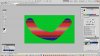
It is not deleting layer, it is deleting a "hole" in layers mask.
joker1.jpg
And mask can be created from selection, so if you select an object, you can transfer its shape into the mask.
 
Last edited:
We would be glad to help you. I will add that clipping layers act similarly and now you will need to have two things demonstrated. You are so very new to this program that I would advise you to find some tutorials that will help you learn the basics. Masks and clipping layers are by no means the first thing you need to know to use Photoshop. OTOH, if someone would like to guide you through this, great. But you will need to know a lot more if you intend to get any use out of PS.

In any event, welcome to the forum and welcome to Photoshop. Enjoy the process.
 

Back
Top