What's new
Photoshop Gurus Forum

Welcome to Photoshop Gurus forum. Register a free account today to become a member! It's completely free. Once signed in, you'll enjoy an ad-free experience and be able to participate on this site by adding your own topics and posts, as well as connect with other members through your own private inbox!

Designing and Decorating a .gif


TechMansoor

Well-Known Member
Messages
57
Likes
5
Hello everyone. I hope the winds of the present are flowing well for everyone that I sincerely do!

Indeed I have created a gif in which I will be condensing it. Here:
Well..I can't post links just yet..

But my question for this awesome community is, how would I:

A: put a logo within the group
B: place decorative would be cat hair around the border of the .gif?

Does anyone have an illustration or can guide me in the right direction. Any help would be much appreciated guys!!

Thanks so much!
 
Hi.

Not sure about the winds.
Not sure about condensing.

Use the "insert image" icon in the Quick Reply section to post your GIF.

A cat hair border should not be a problem, however, I'm not at all sure what you mean by placing a logo within the group, but a logo can be placed on the images of the GIF as well as the cat hair border as long as you still have the original PSD file. It's just a matter of creating the additions and then remaking the GIF.
 
carme.gif

So essentially, in cs6, I'm needing to put a fury cat coat of sorts around the entire square gif, as well as put my logo within the gif.

I have all the layers lined out in photoshop. I guess the question becomes:

A: How do I decorate the first layer and then copy those decorations or designs throughout each layer so they be on the entire gif?
 
How many layers do you have, you may need to add the image above all layers or between layers. Just hearing what you trying to do is very difficult to figure out, seeing it would give others and myself a better understanding of what you're trying to accomplish.
 
idad good sir, indeed, I am looking to put a border around that image above but I want it to have like orange hair around it. A fury type border basically would border the image.

Then..

I'd like to place a small logo that I have developed into bottom left of the gif for branding purposes.

Sorry for not being clear.
 
Let's say your document is 100 pixels by 100 pixels but you want to add a border to that without losing any of the image you will need to increase the size of the canvas to whatever size you want to go too let's say 120 pixels by 120 pixels that way you'll have an area to add too at border you refer to. the logo put on top in your layers palette, it should show within all your frames
 
Last edited:
That looks correct I'm on my iPad but yeah that blank area, you can add your fur or whatever
 
Be sure to add it to a top layer I see that you have the bottom layer highlighted highlight the top layer before you start
 
Idad you were right my good sir. Thank you so much. Now I know indeed about the logo placement. Can you suggest something for the cat hair?

Would you say a million and one orange brush strokes or something else?
 
idad my good sir...or anyone else as well.. :-)..

When I apply the canvas size..it applies to each frame in photoshop..

But where should I begin the fur decorations...and thank you guys for posting where I can download the fur...:-)

When I apply the fur decorations to frame 1..it essentially only goes with frame 1..but what do I need to do to make it apply to all the frames??
 
I'm sorry..why I am saying frames..thats what they look like actually..I meant to say layers...when I apply fur decorations to the borders of layer 1 it doesn't go to the corresponding layers...I'll upload a snap shot if needed..
 
Sorry..was being an idiot..I figured it out..put it on top just like you mentioned before..Thanks to everyone that contributed to this post..!!!!
 
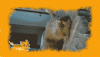
This is the end result, and I barely like it..I'm no wiz with photoshop although I'd like to be very much so... If I uploaded the psd..could I possibly get an alternative for this .gif I've created?
carme.gif
This gif is a snap shot for a search query on a website. While people searching for their products,this image will show in the 1 to 2 seconds while their query is being generated.

I'm trying indeed...
 
If you compress the PSD file and post it on here I'm sure a member or two will have a go at it and possibly put some improvements to it. and put it back here, that way you can see the difference from the.gif you did and another from somebody else, it's a great learning technique/tool
"Success is a work in progress,never stop trying.":thumbsup:.... oops!.... signature siays that:mrgreen:
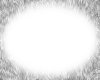
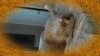
 
I found this picture on the web
furry_border_by_lulztroll87-d5g2t0x.jpg used it, put it on the top layer after I manipulated the white background off of it and used photo filter to get the orange color to it, you can add that little cat I'm sure.

carme_i.gif
 
idad..my great and awesome and wonderful sir..thats exactly what I was looking to do....could you give me a synopsis on what you did exactly...I"m not sure if I had that particular stroke/brush as it looks waay different than mine..
 
nevermind..i was so excited i didn't catch your statement..but you think it'll be ok to upload the psd file..compress it first?
 

Back
Top