What's new
Photoshop Gurus Forum

Welcome to Photoshop Gurus forum. Register a free account today to become a member! It's completely free. Once signed in, you'll enjoy an ad-free experience and be able to participate on this site by adding your own topics and posts, as well as connect with other members through your own private inbox!

Specific Editing help please---color!


bapperson18

Member
Messages
6
Likes
2
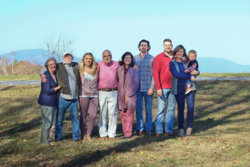
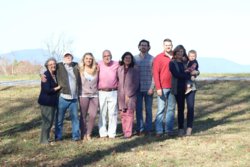
This photo was taken on my tripod midday and the sun washed the background and also caused a horrible glare over half of our faces. Could someone help touch this up and reduce the glare and wash out please? Im open to any other fixes to make it a natural look and something we can use for our christmas card thank you!
 

Attachments

  • IMG_2300.JPG
    IMG_2300.JPG
    2 MB · Views: 30
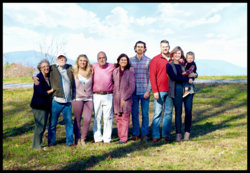
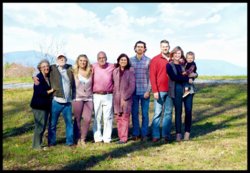
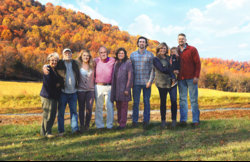
Hard one! seems like every face have a diferent type of light! i made a try just for fun and practice somethings.

I agree, it was a hard one. I made four different exposures in Camera Raw and blended them together. I like the sky you added. I thought of doing that, as well, but ended up using a solid color set to Multiply.
 
I only added the sky because he mentioned it's for a christmas card and make it standing out a little more, but i think look less real too.
I went for more visual impact in general because you already well made the natural look XD.
Except for that strong turquoise in the sky i hate :laugh:.
 
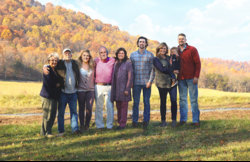
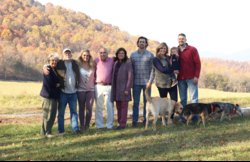
I had another image that wasn't quite as bad but if you want to see some real bad dog interaction let me show you this one! Had a hard time with the color on this one too as well as the sun glare! Lesson learned shoot closer to sunset! (This was on thanksgiving though and everyone was over for lunch) :( I would have used this image but the fact that the yellow dog is mine and is sniffing my Aunt's dog's rear is why I didnt! HAHA!!
BTW I loved the sky you added perfect touch! It was a pretty day the photo was totally washed out!
 

Attachments

  • IMG_2312.JPG
    IMG_2312.JPG
    3.1 MB · Views: 7
On another note (and a general shooting tip):

Consider getting your tallest subjects to stand at the bottom of the slope, if there is one - It'll prevent your photos from looking like they were taken somewhere in Middle Earth ;)
 

Back
Top