What's new
Photoshop Gurus Forum

Welcome to Photoshop Gurus forum. Register a free account today to become a member! It's completely free. Once signed in, you'll enjoy an ad-free experience and be able to participate on this site by adding your own topics and posts, as well as connect with other members through your own private inbox!

Extremely pixelated photo...help!


graphixangel

Member
Messages
7
Likes
1
I am creating a senior picture for one of my sons friends.
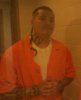
The photo was taken with a camera phone..very pixelated..and it was taken behind glass which makes it much worse.
I am a web designer and have been using photoshop for many years but what I do and what needs to be done on this picture are two different things! I've had this photo 1.5 months and he's getting antsy. I have done the best with what I know and the picture is still not coming out to where I could put in a senior photo background.

Here are the pictures I got:

cf1.jpg cf2.jpgcf3.jpg

I chose the middle picture to use. Heres what I've done with it and now I'm stuck...

robert1.png

Any ideas or tips or anything that can help me? Did I choose the right photo or would you suggest working with a different one? I plan on using from the shoulders up in his senior pic.

Thanks soooo much!
graphixangel
 

Attachments

Personally, I would use the bottom photo out of the three as is has the most detail in.

The photos are really bad quality and I think either way it's not gonna look great no matter how much skill someone might have.

You could try matching the new background (senior pic) with the photo of the guy by adding noise and colour matching but I'm not too sure how great it's going to turn out.

Others might have different ideas.
 
Is there any way you could contact him and ask him if he could get one of the Guards to photograph him and send you a better image, one where he is not behind glass? Otherwise your stuck with what you have.

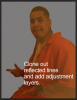
I would also use the last image, clone out the reflected lines, isolate the head from the body and add some adjustment layers to both. It's still gonna look pretty bad though.

Screen Shot 2013-12-01 at 11.38.21 AM.png
 
Last edited:
1st - Thank you so much for being professional. I am asking from one professional to another for assistance regardless of what photo I have.
2nd - His name is not "criminal" it's "Robert"
3rd - Dom suggested using the 3rd photo too. I didn't think to clone the reflected line...thanks for tip :)
 
Sorry, I was not intending to be insensitive. Even though he may have a name he is a criminal is he not? Otherwise he would not be in the situation he is in!
 
Oh my gosh what did with his photo was GREAT! That will really help!

This is the last time I will speak about this as I really need help with the photo not the subject but Robert walked in after his graduation party and one of his friends was stabbing his mother in their living. She died before they got to the hospital. He lost it and got angry, went after him, and well..got his revenge. His mom was all he had and now he and his sister (in the photo) are alone and my heart breaks for both of them. He asked me to do this cuz his mom didn't get a chance to get his senior photos before she died.

BACK TO THE PHOTO: He is Hispanic and medium toned skin. There is not really a way to get his skin the correct tone huh? I adjust it and his tattoos go grey. I love how IAMSAM did that photo above...ugh I wish he just needed a website ;-)
Please keep coming with the tips...I do appreciate it!!
 
Again, I apologize. Even an act of revenge is a criminal offense, one I can honestly say that in the exact same circumstances I would, without a seconds thought, be in Roberts situation as well!! Sorry you had to share that! I often say things before I think.....foot in mouth disease. And I will say no more about that situation.

Yes, I'm working on some more adjustments for his skin tone, if I find a good technique I will post it!
 
Thanks so much for your help IAMSAM! I am actually working with the photo you did above to see how I do with it.
I just want these to be really nice for him!
 
He loves red and black so i was thinking a gradient but I couldn't get it to look right as the photo is so dark. I did him in front of a nature scene which would have worked perfect but the photo is nowhere near as clear as the background. At this point I am open to suggestions of what background would be best for the picture. Whatcha think?
 
This needs a lot more work,, there's just too much missing information to work with.

Here's a transparent PNG you can try to work with. I don't know if it will be much help!

Robert_01.png

Here's one with a Black and Red BG, it also can use a lot of work!

Robert_02.png

There are other members who are much better at this than I am. Hopefully they will jump in!

EDIT: Here's a lighter version of the red and Black one. When I saw it here, it looked too dark. A little better blending but it still needs work!

Robert_03.png
 
Last edited:

Back
Top