What's new
Photoshop Gurus Forum

Welcome to Photoshop Gurus forum. Register a free account today to become a member! It's completely free. Once signed in, you'll enjoy an ad-free experience and be able to participate on this site by adding your own topics and posts, as well as connect with other members through your own private inbox!

Having huge problems with PS flattening all contrast... Where are my blacks?


Hey Tom

Spot on...

So I made a video recording following your advice above:

[video=youtube_share;EeI3YvRPqQs]http://youtu.be/EeI3YvRPqQs[/video]

I learnt a bit more about grain than I knew before, which has helped a bit in fixing my problem (see below). I can see why the contrast is being washed out now. Like you said, because I'm applying such high levels of noise to the image, the variations in luminosity in the far black and far white areas of the image get so affected that the contrast that was there before gets washed out.


I've tried to be proactive in solving the problem, and found a solution that works - however its only very partially and not much different from before.

One way of dodging and burning I use is to create a neutral grey 50% layer set to soft light, then brush (at various opacities) black and white over the layer to lighten and darken areas of the image underneath - I'm sure you know this already that the original 50% grey set to soft light doesn't affect the image at all. So, I thought I'd use that same principle with noise and add the noise to that layer instead

[video=youtube_share;GvUcokd_yHM]http://youtu.be/GvUcokd_yHM[/video]

Adding noise to the neutral grey layer doesn't seem to affect the black and white areas as much, but the problem is I want much more noise than that layer can give. It tops out at 400 and I think it only doesn't affect the shadows as much as the 'add noise' because there isn't that much of it....

Worth a try anyway.

So yeah, still having trouble - your guess about my workflow was correct and the large amounts of 'add noise' and the following range of adjustment to the brightness levels of the far blacks and whites were what were washing out my contrast. Do you have anything else you recommend I try?
 
Hi "HavingProblems" -

Thanks for the latest info.

As I understand it, your goal is to simultaneously (a) retain the contrast of the actual image, and (b) maximize the contrast in the noise.

As we discussed in the previous post, these two goals are mutually exclusive - increase the contrast in the noise and the contrast of the image decreases. The problem is that this phenomena does not depend on how you add the noise to the image -- so long the value of the noise at a given pixel is added (or subtracted) from the value of that pixel in the image, it doesn't matter (within wide limits) what blend mode you use, you'll always be fighting this trade-off.

By adjusting the blend mode, strength of the noise, the BlendIF sliders, layer opacity, etc., you might be able to come up with a compromise that you can tolerate, but my conditions (a) and (b) won't and can't strictly be met.

The only way I can think to simultaneously achieve (a) and (b) is to use a method called "stochastic screening" or "stochastic half-toning". The reason this can work is because every pixel in the final image is either full white or full black (ie, so there is maximum contrast in the noise), but the brightness of each pixel in the starting image controls the density of white or black pixels in the final image.

Unfortunately, I don't have any software that really does stochastic half-toning. Such capabilities are usually found only in large, commercial print shops, and is often part of their RIP module. However, I do own a plugin (VanderLee "half tone") that can be adjusted to crudely approximate a real stochastic half-tone module.

First, here is a copy of a high contrast B&W shot before the application of stochastic half-toning.

Stochastic_halftone_test-acr0-ps01a_crop_BW_sRGB_8bpc-00.jpg

Next, here is the result of applying the VanDerLee filter with settings to approximate true stochastic half-toning software:

Stochastic_halftone_test-acr0-ps01a_crop_BW_sRGB_8bpc-01.jpg


It certainly isn't perfect. For example this method severely degrades the resolution of the image if done in a straightforward method, but there are ways to overcome this.

If this method is of interest to you, let me know and I'll supply more details.

Cheers,

Tom
 
The realisation that this might not look or work how I want it to is starting to sink in...

Thanks for the suggestion of stochastic half-toning, unfortunately I can't really see it working for me. I was going to ask whether you could do a quick stochastic half-tone on one of my images to see what it would look like, but then looked at a way to do it through photoshop - it's just like you say, plain black and white pixels. Unfortunately that kills too much detail for me - unless there is a way around it being pure two colour (eg pure B&W)?

Been looking into workarounds and plugins for the last few hours. Tried using the grain on Lightroom with the adjustment brushes - kinda OK... when you apply too much grain though it softens the image like sh*t, so you have to keep the levels low and it's not much different to photoshop. Then there's Nik Silver Efex Pro, heard this could do something so trying to get it and try it out. I could always go back to shooting film for some shots - still do this currently but I'm a student, so finances aren't abundant and the issue there is cost and time. I've then also tried making two noise layers, one with lots of grain and one with little, then tried masking off the shadow areas into the little grain layer (to keep contrast fairly high) but the difference is visible and noticeably so.

Like you said, mutually exclusive... Seems like we'll have to have a compromise.

I'm OK with settling for a little less grain. With that compromise, anything else spring to mind that I can try?
 
Humm... one possibility is to blend the result of normal (but restrained) "add noise" approach with the result of the stochastic screen method.

You might be able t do this in a way that brings out the best of both. Specifically, make an alpha channel that is white (ie, revealing) in the midtones (of the original image) and goes to totally black (ie, hiding) for the very brightest and darkest pixels from the stochastic screen. Then, place the "add noise" version on a layer above the stochastic screened version, and mask this (upper) layer as described above.

With respect to working on one of your images, I'm sorry, but I just don't do that because I want to teach and discuss methods on this forum. Only in charity, emergency, etc. cases will I do serious work on someone else's images here.

Cheers,

Tom
 
Last edited:
PS - Also, don't forget my earlier comment that there are partial workarounds for the loss of detail. Basically, you up-rez your image by a factor of about 10x (in area, 3x on a side), do the stochastic screening on the up-rez'ed version, and then down-rez to your original size when done. This will preserve the detail much better, but it will sacrifice a bit of the extreme noise contrast. Hopefully, not as much as if you tried a brute-force, "add noise" approach.

Stochastic screening is essentially a commercial printing technique that was used to improve the quality for offset printing presses. Obviously, commercial printers of high quality advertisements, magazine photos, etc. can get plenty of resolution for beautiful full page layouts using half-tone methods (including stochastic screening) if they start from a suitably high rez (or at least higher pixel dimension) original.

In contrast, in the example I showed earlier, I didn't take the time to do an initial up-rez'ing step, so the resulting resolution in my example was probably only a third or a quarter of the original I started with.

Also, since you mention that you tried stochastic screening yourself, let me caution you that it takes a good bit of experience to do it right. This is why there used to be guys on the payroll doing nothing but pre-press image preparation.

HTH,

Tom
 
In my last message, I commented that one can increase the spatial resolution by up-rez'ing the starting image by a factor of 3 or 4 times before applying the stochastic screening to it. Here's an example of doing so using the same starting image and up-rezing it by 4x using PS's "image size/bilinear".

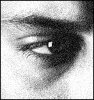
First, a 1:1 crop of the region of the eye after (simulated) stochastic screening.

Stochastic_halftone_test-acr0-ps11b_1to1_crop_BW_sRGB_8bpc_up4x_down_4x-01_eye_only.jpg

Next, the entire up-rez'ed version after (simulated) stochastic screening.

Stochastic_halftone_test-acr0-ps11a_crop_BW_sRGB_8bpc_up4x_down_4x-01_up4x_only.jpg

Note that to see that all pixels are either black or white, but none gray in this version, you can't rely on teh above thumbnail. You have to click on it to see the file I uploaded, and then look at *this* at 100% magnification.

Finally, here's the previous image down-rez'ed by 4x back to its original dimensions (again using PS's "bilinear"). Clearly, compared to the original, the quality has gone down, but it's much better than what one gets without the up and down rez'ing routine. Also, note that if you look at individual pixels, now, you see some gray pixels because of the necessity to average nearby pixels when down-rez'ing.

Stochastic_halftone_test-acr0-ps11a_crop_BW_sRGB_8bpc_up4x_down_4x-01_up4x_down_to600px-full_ima.jpg

Note: The only difference between this version and the previous thumbnail is that this one was down-rez'ed under my control instead of letting the forum thumbnail generation software do whatever it wants to the image.

HTH,

Tom

PS - I'll mention again, that all of the above is just a simulation of real stochastic screening. These would look a lot better if they had been processed by a real RIP, not my $30 plugin designed only for ordinary half-tone conversions, LOL.
 
Last edited:
Tom


Fantastic stuff! Before, the scope of this didn't seem to suit my working process and look but now after some elaboration and generous (much appreciated) work on your side explaining it further, it's caught my attention again.


I've just had something come in and have to fly out for a while. At London Gatwick right now and still very interested in this - though I might not have access to Internet where I'm heading unfortunately. If not, I'm back around 2/3rd January, any chance we crack on with this on the New Year?
 
I'm really delighted that you found some of this interesting, and maybe even useful. To be honest, a high level technical question like yours is a welcome treat among the steady stream of idiotic / juvenile / absurd / frivolous requests we get to "put my face on xxx's body", "give me a better six-pack", "would you mind changing the name on this ID card", etc. Even better, you're a serious photographer, a smart guy and don't need everything spelled out for you.

Of course! Let's continue this after the New Year. In the interim, have a great trip and Happy Holidays!

Tom
 

Back
Top