What's new
Photoshop Gurus Forum

Welcome to Photoshop Gurus forum. Register a free account today to become a member! It's completely free. Once signed in, you'll enjoy an ad-free experience and be able to participate on this site by adding your own topics and posts, as well as connect with other members through your own private inbox!

Help required


Jantonio777

Active Member
Messages
27
Likes
1
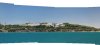
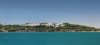
Hello, I would like hear your opinions, I'm doing something wrong. I like to do panoramic shots, so when I merge the shots, more than three, at the moment of crop there are empty spaces towards the edges, so what I do is to clone with and adyacent color, usually is the sky or water, but is very common to see that the color do not match very good. Any advise I can use in order to improve the finnal result.

Thanks for your time.
 
can you post what you created. there is an option called photo-merge i think which automatically merges pictures and removes any gaps or things like that. You can try that and see how it goes.
 
Ok, There are many methods to fix this issue...
But, see the method you use depends on the panoramic picture you are making.
So, please post the picture you are making thank you.
 
PS does a good job of this, but even photomerge often/usually requires a manual fix. Sometimes all it takes is a bit of transformation, such as warp even, just a bit. It isn't uncommon to need to clone or paint. But the results vary depending on your skill with the clone tool, paint brush, content aware, healing brush, whatever method you decide to use.

If the colors are not matching, it may be the exposure. If you change your angle more into the sun for example. But it may be that you simply need to adjust those colors, levels, exposures before merging them. This could even be done afterwards and before cloning so that you have a more defined separation for selective adjustment.

As has been suggested, post images. It would be best if you post the 3 separate images and the photomerge, or is all in one document, attach your psd.
 
Last edited:
I used photomerge, in this case I just cropped a part of the panoramic, sometimes I merge more than 5 or 6 shots so it is a narrow panoramic, I do not want to make a tight crop, so I prefere to fill the empty spaces, I cloned an adyacent color, is common that the color tone do not match very wheel, and is very notorious. Thanks for you time and opinions.
 
Content aware patch and move are one of the biggest features we have been waiting for and it’s just about time we had them. Photoshop CS6 saves a lot of time that goes into image patching and re furbishing and not just that, it results in some stunning visuals.
 
test.jpg

I would use a gradient for the sky and a large brush for the clone of the sea in 1 quick swipe across the sea from side to side using soft brushes apply layer masks to the gradient and cloned layer and blend them in.
 
The result is great but can you explain step by step, I'm sorry but I'm a very very very beginner, how will I use a gradient for the sky? How will apply the layer mask? Thanks for your help
 
Thanks Hoogle, the video is great, I have so many panoramics that I will apply the technic used in the video. I will let you know how things goes. Bye bye.
 

Back
Top