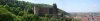
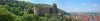
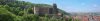
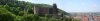
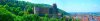
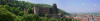
Attached are a series of images that shows how I would handle such an image:
#1 - The original, as posted, for reference.
#2 - My 1st step, and the most significant changes were made using nothing more than ACR. This shows the image as it came out of ACR.
#3 - Although ACR improved the image in some way, it also made some flaws more apparent. For example, there are blotches in the sky that suggest that you might have stitched this panorama together from individual photos. These must be dealt with. In addition, the sky in the upper LH corner is much too bright. The left-right variation in sky brightness must be dealt with. I did this by making a copy of the sky, using horizontal motion blur to smooth out some of these variations. This did not completely equalize the L-R brightness variation, so I made a copy of the blurred sky, flipped it horizontally, and added a bit of the flipped version to original. I used a hand painted layer mask to only apply it where it was needed. The result of this is shown in the 3rd attachment.
There are a few other very minor tweaks needed to put the finishing touches on the image. For example reducing the contrast of the castle and forest.
I know the above sounds like it is a lot of work, but it really isn't. Once you are used to making a series of simple changes like these, you can zip through them faster than you can describe them in writing.
HTH,
Tom
PS - Of course, in PS, it's very tempting to make the sky an even more intense blue than shown here. Resist this urge -- it will look completely unrealistic / silly.